















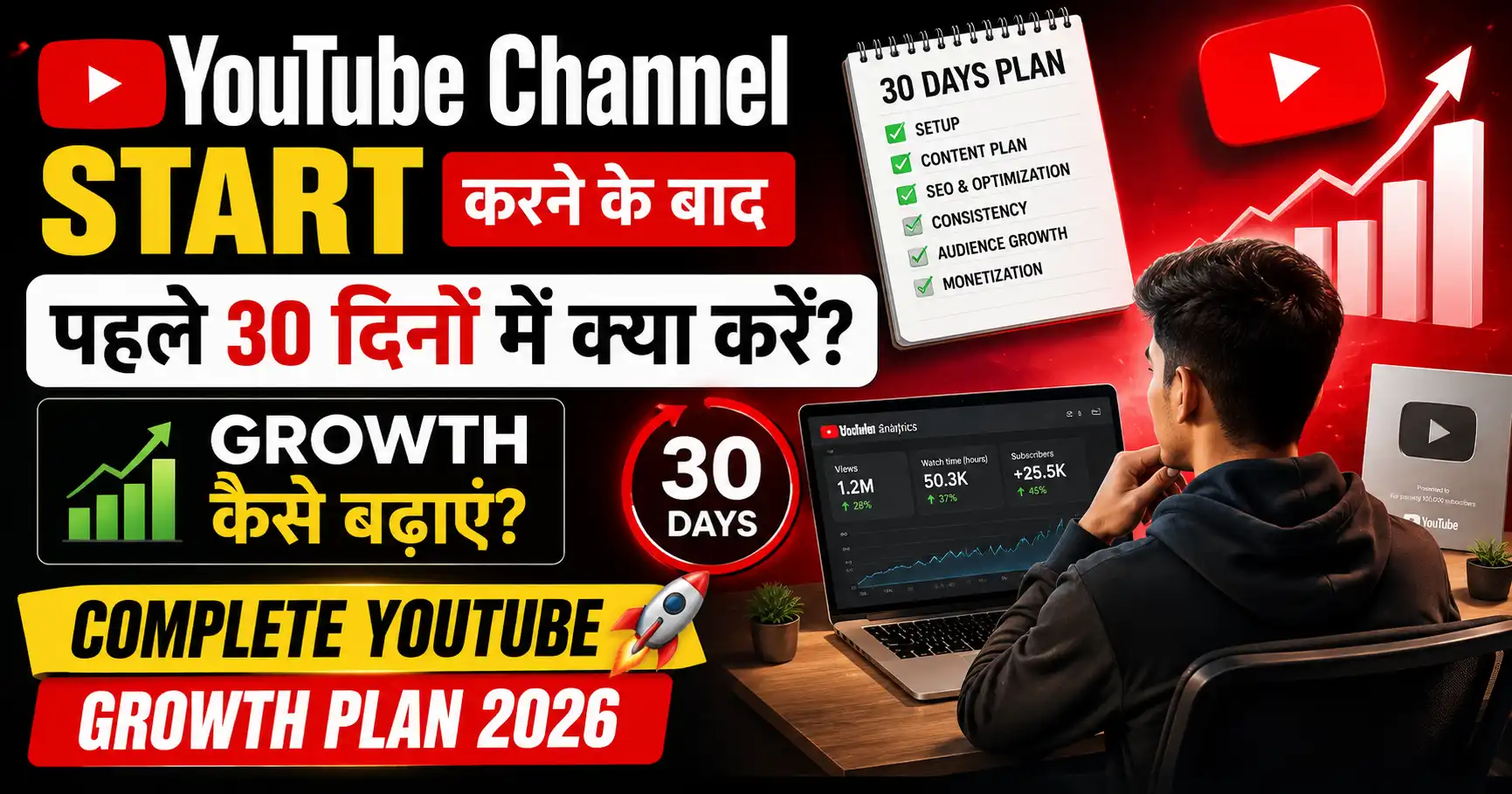
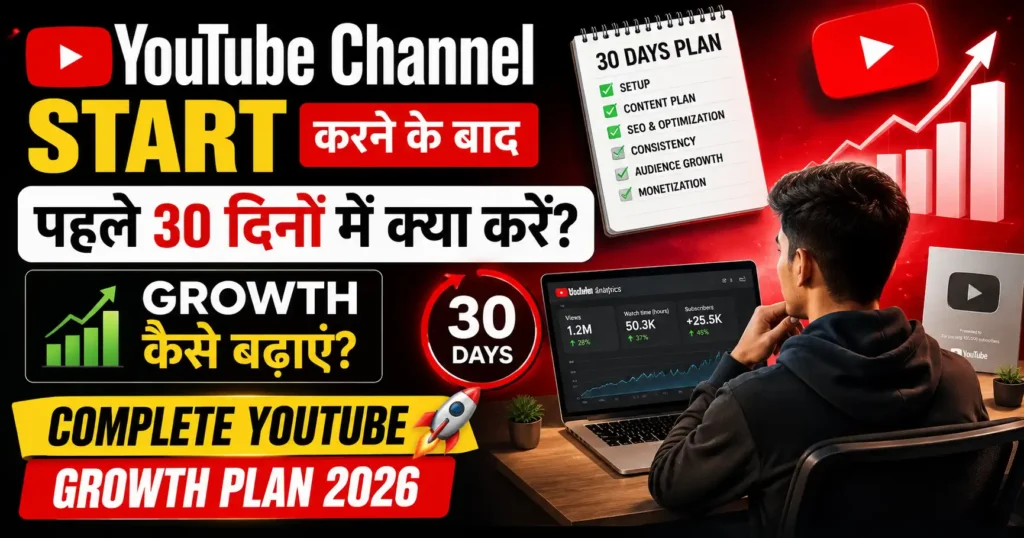
YouTube Channel Start करने के बाद पहले 30 दिनों में क्या करें? Growth कैसे बढ़ाएं? Complete YouTube Growth Plan 2026

यार, एक honest बात बताता हूं।
पहले 30 दिन किसी भी YouTube channel के लिए सबसे critical होते हैं।
इस period में जो creators सही moves करते हैं — उनका channel compound growth पर जाता है।
जो गलत moves करते हैं — वो 6 months बाद भी वहीं खड़े होते हैं जहाँ शुरू किया था।
मैंने BaseGrower YouTube journey में यही experience किया। पहले channel के साथ मैंने random approach ली — कोई plan नहीं, कोई strategy नहीं। 3 months में 200 subscribers। दूसरे channel पर मैंने systematic 30-day plan follow किया — 3 months में 3,000 subscribers।
Same effort। Different strategy। Wildly different results
आज इस guide में मैं तुम्हें वो exact 30-day plan बताऊंगा — day by day breakdown के साथ — जो YouTube channel start करने के बाद growth को accelerate करता है।
Plus YouTube growth tips, YouTube growth tools, और viral होने की complete strategy
Day by day actionable plan। चलो शुरू करते हैं।
YouTube Channel Start Karne Ke Baad Kya Hota Hai? — Algorithm Perspective
पहले यह समझो कि algorithm नए channel के साथ कैसे behave करता है।
New Channel Reality:

Phase 1 (Day 1-7): Zero Trust Phase
→ Algorithm: "यह नया channel है — कौन है यह?"
→ Initial impressions बहुत limited
→ Mainly subscribers को ही दिखाता है
→ Views: 10-100 per video mostly

Phase 2 (Day 8-21): Testing Phase
→ Algorithm: "Content quality कैसी है?"
→ CTR और retention देखता है
→ Good signals = Slowly more distribution
→ Views: 50-500 per video potential

Phase 3 (Day 22-30): Signal Collection
→ Algorithm: "यह channel consistent है?"
→ Upload frequency और engagement देखता है
→ Consistent signals = Foundation for growth
→ Views: 100-2,000 per video if done right
Key Insight: पहले 30 दिन में YouTube तुम्हारे बारे में data collect करता है। जितने better signals दोगे — उतना faster algorithm trust करेगा।
Day 1-3: Foundation Setup — Sab Kuch Sahi Karo
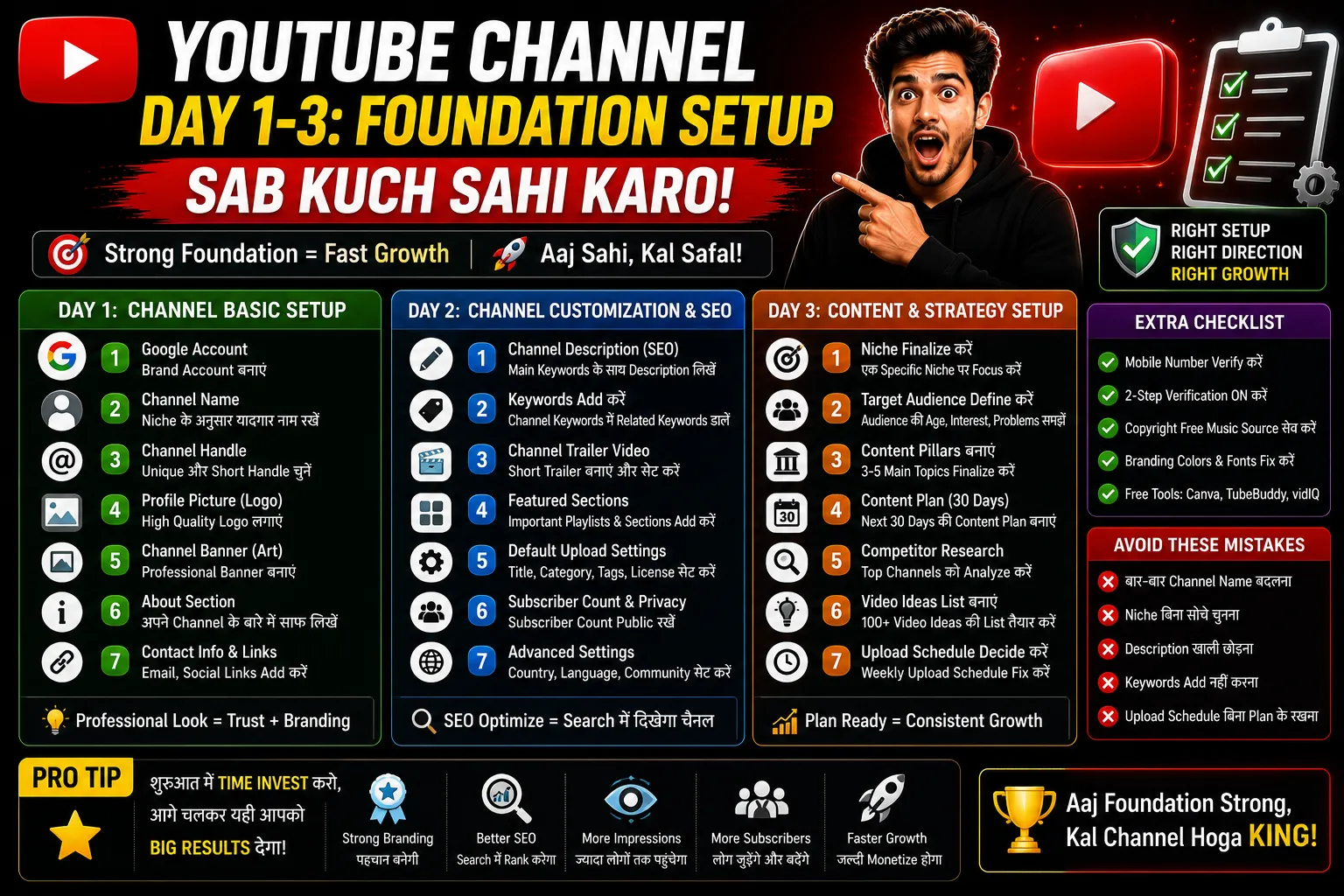
यह वो 3 दिन हैं जब foundation गलत होने पर बाद में बहुत मेहनत लगती है।
Day 1: Complete Channel Setup
Step 1: Channel Name Final करो
आप day 1 से अपने चैनल को सेटअप कर सकते हो कैसे क्या करना है चैनल का नाम कैसे करना है इमेज आप अकाउंट सिलेक्ट करोगे अगर यह सब आपको जानना है तो आप हमारा यह वाला आर्टिकल जरूर पड़े इसके अंदर हमने और detail में बताया है कि कैसे चैनल को सेटअप किया जा सकता है Complete yt channel setup guide
Rules:
✅ याद रखने में easy
✅ Niche hint करे (optional लेकिन helpful)
✅ Available हो (search करो — existing channel नहीं हो)
✅ Future-proof (बहुत specific नहीं)

Examples:
"BaseGrower" — Brand, memorable ✅
"TechBuddy Hindi" — Niche + Language ✅
"FinanceFirst India" — Niche + Location ✅
"Best YouTube Tips 2026 Channel" — Too specific ❌
Step 2: Channel Handle Set करो (@username)
YouTube Studio → Customization → Basic Info → Handle

Format: @YourChannelName
Make it: Same as channel name (for brand consistency)
Check: Available होना चाहिए

This is searchable — choose wisely।
Step 3: Channel Art (Banner) बनाओ
Canva → YouTube Channel Art → 2560×1440px

Must Include:
→ Channel name prominently
→ What the channel is about (1 line)
→ Upload schedule ("New Videos Every Week")
→ Your brand colors

Safe zone: 1546×423px center = Visible on all devices
Test on mobile before finalizing
Step 4: Profile Photo
Personal Brand: Professional headshot (clear, well-lit)
Brand Channel: Logo (simple, recognizable)
Size: 800×800px minimum
Format: Circular crop होगी — keep main element centered
Step 5: Channel Description (SEO Optimized)
Template:
"[Channel Name] — [What you do] for [Target Audience]

यहाँ मिलेगा:
✅ [Topic 1]
✅ [Topic 2]
✅ [Topic 3]
✅ [Topic 4]

New videos: [Schedule]

📱 [Website if any]
📧 [Business email]

#[Niche] #[Topic] #[Language]"

Include keywords naturally — YouTube searches descriptions too
Step 6: Links Add करो
Customization → Basic Info → Links
→ Website (blog, Instagram, Telegram channel)
→ These appear on channel banner
→ All important social links add करो
Step 7: Channel Trailer Plan करो
60-90 second video:
"यह channel किसके लिए है"
"यहाँ क्या मिलेगा"
"Subscribe क्यों करें"

Record: Day 3-4 में (after first video experience)
Day 2: First Video Research
पहली video का topic carefully choose करो।
First Video Selection Criteria:

✅ Searchable keyword हो (लोग actively search करते हों)
✅ Low competition (नए channel के लिए achievable)
✅ Genuinely valuable content बना सको
✅ Niche को clearly define करे
✅ Evergreen हो (time-sensitive नहीं)

Research Process:
1. YouTube search bar → Topic type करो → Autocomplete देखो
2. VidIQ/TubeBuddy से volume + competition check करो
3. Top 5 ranking videos देखो — क्या missing है?
4. Better, more complete version plan करो
First Video के लिए Best Formats:
Option A: "Ultimate Beginner Guide"
"[Niche] Complete Beginner Guide 2026"
→ Comprehensive → High value → Evergreen

Option B: "Common Mistakes"
"[Niche] Mein 5 Galtiyan Jo Beginners Karte Hain"
→ Highly relatable → Good CTR → Problem-solving

Option C: "How-To Tutorial"
"[Specific Task] Kaise Karein — Step by Step 2026"
→ Searchable → Practical → Long-tail keyword possible

Option D: "Listicle"
"[N] Best [Topic] — Complete List"
→ Multiple keywords → Sharable → Good for suggested
Day 3: Script और Pre-Production
Script Outline Format:

HOOK (0-10 seconds):
"[Shocking statement / Question / Promise]"

PREVIEW (10-30 seconds):
"इस video में तुम जानोगे:
1. [Point 1]
2. [Point 2]
3. [Point 3]"

MAIN CONTENT (Bulk of video):
Topic → Sub-topic 1 → Sub-topic 2...

MID-VIDEO CTA (40-60% through):
"अगर यह helpful लग रहा है — like button दबाओ।"

CONCLUSION:
Summary + Key takeaway

END CTA:
"Subscribe + Bell icon + Next video preview"

THUMBNAIL PLAN:
What image? What text? What emotion?
Day 4-7: First Video Launch — Sab Kuch Perfect Karo
Day 4: Record करो
Recording Checklist:

Lighting:
✅ Ring light या window light facing you
✅ Background clean और relevant
✅ No harsh shadows on face

Audio:
✅ Quiet room (windows closed, fans off)
✅ Close to mic (6-8 inches)
✅ Test recording first (30 sec) → Playback → Check quality

Camera:
✅ Vertical for Shorts, Horizontal for Long videos
✅ Eyes level with camera lens (not looking up/down)
✅ Camera steady (tripod recommended)

Performance:
✅ Energy high — smile in voice
✅ Speak clearly, don't rush
✅ If mistake → Pause → Repeat (edit will handle it)
✅ Record 10-15 extra photos (expressions) for thumbnail
Day 5: Edit करो
Editing Priority List:

Priority 1: Audio clean करो
→ Noise reduction
→ Remove dead air (pauses > 0.5 sec)
→ Volume normalize

Priority 2: Pacing improve करो
→ Jump cuts to keep energy high
→ Remove filler words ("um", "uh", long pauses)

Priority 3: Value additions
→ Text overlays for key points
→ B-roll or screen recordings where needed
→ Captions/subtitles (85% India mobile viewers)

Priority 4: Branding
→ Intro (5-10 seconds max)
→ Outro (end screen setup)
→ Lower thirds (your name + channel)

Free Editing Tools:
Desktop: DaVinci Resolve (professional, free)
Mobile: CapCut (excellent, free)
Simple cuts: YouTube's own editor
Day 6: Thumbnail + Upload Setup
Thumbnail Creation (Canva):
→ 1280×720px
→ Bold text (3-5 words)
→ Strong emotion (face if possible)
→ High contrast colors
→ Mobile test (25% size — still readable?)

Upload Checklist:
□ Title: Main keyword + Hook (60-70 chars)
□ Description: Full template (200+ words)
□ Tags: 10-15 relevant tags
□ Thumbnail: Custom (not auto-generated)
□ Category: Most relevant
□ Language: Hindi
□ Chapters: Timestamps added
□ End screens: Planned (upload first, add after)
□ Cards: Will add after Day 14 (need content for cards)
□ Playlist: Create playlist, add this video
□ Premiere: Consider scheduling for next day
Day 7: Launch Day + First Promotion
Launch Time:
→ Best time India: 7-9 AM या 7-9 PM
→ Friday/Saturday/Sunday if possible

Post-Upload (First 2 Hours):
Hour 1:
→ WhatsApp Status: Thumbnail + "First video live!"
→ Instagram Story: Clip + Link
→ Telegram Channel: Full announcement post

Hour 2:
→ Facebook page/personal post
→ WhatsApp relevant groups (genuine share)
→ Twitter/X: "My first YouTube video is live!"

Day 7 Evening:
→ Check comments → Reply to ALL comments
→ Thank every subscriber who joined
→ Note CTR in YouTube Studio (benchmark)
Week 2 (Day 8-14): Content Momentum Establish Karo
Day 8-9: Analytics Ka Pehla Look
After 48 hours, check:

1. CTR (Click-through rate):
   <2%: Thumbnail problem → Plan redesign
   2-4%: Acceptable for new channel
   4%+: Good start!

2. Average View Duration:
   <30%: Hook and content problem
   30-50%: Acceptable
   50%+: Excellent!

3. Traffic Sources:
   Where views coming from?
   → Subscribers only = Need more SEO
   → Some search = Good sign
   → External = Your promotion working

4. Audience Retention Graph:
   Where people dropping off?
   → Note the timestamp → Fix in next video

Document everything in a spreadsheet
Day 10-11: Second Video Upload
Apply learnings from Video 1:

If CTR was low → Better thumbnail this time
If retention dropped early → Stronger hook
If audio complaints in comments → Improve audio
If no comments → Add question at end

Second video should be:
→ Same niche
→ Related topic (can internally link to Video 1)
→ Same or better quality
→ Apply all analytics learnings
Day 12-13: YouTube Shorts Launch
Shorts Strategy for New Channels:

Why start Shorts in Week 2:
→ Long video is live → Extract Shorts from it
→ Shorts get more organic reach for new channels
→ Algorithm starts to see channel as "active"

First Short:
→ Best 45-60 seconds from your long video
→ Add text captions (CapCut auto-captions)
→ Add trending audio
→ Caption: "Full guide → Channel पर | Subscribe! 🔔"

Shorts Upload Schedule:
Day 12: First Short (from Video 1)
Day 14: Second Short (new standalone tip)

Shorts Title: "[Quick tip] | #Shorts"
Day 14: Community Post + Mid-Week Check
First Community Post:
"इस channel पर 1 week हो गया! 🎉

[Milestone achieved — subscribers, views]

Next video आएगी [Day] को — topic: [Topic]

तुम्हें किस topic पर video चाहिए?
A) [Option 1]
B) [Option 2]
C) [Option 3]

Comment करो! 👇"

Mid-Week Analytics:
→ Compare Week 1 vs Week 2 metrics
→ CTR improving?
→ Views per video improving?
→ Subscriber pace?
Week 3 (Day 15-21): Optimization Phase
Day 15-16: SEO Deep Dive
और अपने चैनल को कैसे deep dive ऑप्टिमाइज किया जा सकता है seo के तरीकों से
SEO Audit of Published Videos:

For each video:
1. Title में main keyword first word पर है?
2. Description first 2 lines में keyword है?
3. Tags — 15 relevant tags added?
4. Chapters/timestamps added?
5. Video in relevant playlist?

Fix anything missing।

New Video SEO Research:
→ VidIQ Chrome extension install करो (free)
→ Top competitor videos में जाओ
→ "Stats for nerds" → See their keywords
→ Find gaps → Your video fills those gaps
और आप और डिटेल में जाना चाहते हो तो हमारे इस आर्टिकल को भी पढ़ सकते हो SEO का complete सेटअप किया हुआ है कैसे क्या करना है अपने चैनल के लिए
Day 17-18: Thumbnail A/B Test
If any video has:
→ Low CTR (< 3%) AND
→ Decent impressions (500+)

Then: A/B Test the thumbnail

YouTube Studio → Video → Thumbnail → "Test & Compare"
Upload 2 different thumbnails
Wait 7-14 days
Winner = Keep, Loser = Replace

What to test:
→ Text different copy
→ Face expression change
→ Background color change
→ With face vs without face
Day 19-20: Cross-Platform Expansion
Week 3 Platform Expansion:

Platform 1: Start a Telegram Channel
→ "Join for exclusive tips: [Channel Link]"
→ Announce every video there
→ Share bonus tips not in videos

Platform 2: Quora Strategy
→ Search your niche questions on Quora
→ Write genuine helpful answers
→ End with: "Maine iske baare mein detailed video banai hai: [Link]"

Platform 3: Pinterest Pins
→ Thumbnail से pin बनाओ (Canva)
→ Pin URL = YouTube video
→ Long-term passive traffic

Platform 4: Facebook Group
→ Your niche ka relevant group join करो
→ Helpful raho
→ Video share करो जहाँ genuinely relevant हो
Day 21: Third Video + Shorts
By Day 21 you should have:
→ 2-3 Long videos published
→ 2-3 Shorts published
→ 50-200+ subscribers (if all steps followed)

Third Video Strategy:
→ Best performing video से related topic
→ Internal link to previous videos possible
→ Playlist mein add करो

Shorts (Day 21):
→ Daily Shorts ab start करो
→ 1 Short every day = Algorithm loves it
→ Mix: Long video clips + Standalone tips
Week 4 (Day 22-30): Scale and Review
Day 22-25: Content Acceleration
By now you have a rhythm:
Long video: 2/week
Shorts: Daily (or as many as possible)
Community posts: 3x/week

Week 4 Focus: QUALITY + VIRAL POTENTIAL

For each video this week:
→ Spend extra 30 min on hook
→ Better thumbnail (apply all learnings)
→ Trending topic if possible (trending + niche)
→ Collaboration DM send करो (1-2 channels)
Day 26-27: Collaboration Outreach
Find collaboration targets:
→ Similar subscriber count channels
→ Same niche, different angle
→ Not direct competitors

Outreach Template:
"Hi [Name],

Maine tumhara channel dekha hai —
[Specific video/element jo genuinely liked]।

Main bhi [Niche] par content banata hoon।
Hamari audiences overlap karti hain।

Kya hum ek collaboration explore kar sakte hain?
Ideas:
1. [Collab idea A]
2. [Collab idea B]

Open ho toh batao!
[Your Name]
[Channel Link]"

Target: 5-10 outreach messages
Expected responses: 1-3 (normal conversion)
Day 28-29: Month-End Analytics Review
Comprehensive 30-Day Audit:

Growth Metrics:
→ Subscribers gained: [X]
→ Total views: [X]
→ Best performing video: [Title + views]
→ Average CTR: [X%]
→ Average view duration: [X%]

Content Metrics:
→ How many videos published?
→ Which video performed best?
→ Which format worked? (Tutorial/Listicle/Shorts)
→ Which topics got engagement?

Promotion Metrics:
→ Which platform drove most external traffic?
→ WhatsApp/Telegram/Instagram — which worked?
→ Any Quora/Reddit traffic?

Learnings:
→ Top 3 things that worked
→ Top 3 things that didn't work
→ Month 2 strategy adjustment
Day 30: Month 2 Planning
30-Day Plan Complete!

Month 2 Strategy (Based on Data):

Content:
→ More of: [Best performing format]
→ Less of: [Low performing format]
→ New experiment: [One new thing to try]

Distribution:
→ Best platform: [Double down on this]
→ New platform: [One new platform to add]

Goals Month 2:
Subscribers: [2-3x Month 1]
Views: [3-5x Month 1]
CTR: [0.5% improvement target]
Upload: [Specific schedule commitment]

"Month 1 = Foundation
Month 2 = Building on foundation
Month 6 = Compound growth begins"
YouTube Growth Tips — 15 Proven Methods
Growth Tip 1: Thumbnail Before Script
Process change:
❌ Old: Script → Record → Edit → Thumbnail
✅ New: Thumbnail concept → Script → Record → Thumbnail

Why:
Thumbnail concept decide करने से video का "promise"
clear होती है → Script naturally aligns with promise
→ Better thumbnail-content match → Higher retention
Growth Tip 2: “3-Video Series” Strategy
Instead of: Random individual videos
Do: 3-part series on one topic

"YouTube Growth — Complete Series"
Part 1: YouTube Channel Setup
Part 2: First 30 Days Strategy ← You are here
Part 3: 0 to 1000 Subscribers

Benefits:
→ Viewer watches all 3 = 3x watch time
→ Series builds subscriber habit
→ Algorithm treats series as related → Suggests together
→ One search query → Multiple videos found
Growth Tip 3: Title Hack — “Hindi” Add Karo
For Hindi content creators:
Adding "Hindi" or "in Hindi" to titles significantly
increases search traffic from Indian audience

Example:
"SEO Kaise Kare" → Less specific
"SEO Kaise Kare Hindi Mein 2026" → More targeted, less competitive
"YouTube Growth Tips Hindi" → Hindi-specific searchers

This alone can increase search impressions 30-50%
Growth Tip 4: Pinned Comment Strategy
Immediately after upload, add pinned comment:

"📌 Summary of this video:
1. [Key Point 1]
2. [Key Point 2]
3. [Key Point 3]

Related videos:
→ [Related Video 1 link]
→ [Related Video 2 link]

Question for you: [Engaging question]
Reply करो! 👇"

Benefits:
→ Keeps viewers engaged in comments
→ Internal linking to your other videos
→ Algorithm sees engagement = More distribution
Growth Tip 5: Upload on Festival/Event Days
Calendar of high-traffic YouTube days:
→ Republic Day (Jan 26)
→ Holi preparation week
→ IPL start
→ Budget day (Feb)
→ Independence Day (Aug 15)
→ Diwali week
→ New Year's eve

Topic: Connect your niche to the occasion

Example:
Finance channel + Budget day = "Budget 2026 Impact on Your Savings"
Tech channel + Diwali = "Best Diwali Gadget Gifts Under ₹2,000"
Growth Tip 6: Reply to Every Comment for 30 Days
Why:
→ Each reply = Engagement signal to algorithm
→ Comment section activity = Distribution boost
→ Loyal community builds faster
→ Viewers feel connected = Subscribe

How:
→ Reply within 24 hours of comment
→ Ask follow-up questions in replies
→ Thank people genuinely (not robotically)
→ This habit = Compound community growth
Growth Tip 7: “Update” Videos Strategy
Update popular old content:

If Video A got good views but is outdated:
→ Make Video A: "2026 Updated Guide"
→ Title: "[Topic] — Updated for 2026"
→ Include what changed + what's new

Benefits:
→ Old video audience comes back
→ New audience finds updated content
→ YouTube sees "evergreen content from this channel"
→ Both videos get suggested together
Growth Tip 8: Engage With Comments on Popular Videos
Find: Popular videos in your niche
Go to: Comments section
Leave: Genuinely helpful, insightful comments
Result: Your channel name appears to thousands of viewers

Rules:
→ Genuinely helpful (not promotional)
→ Add real value ("I'd also add that...")
→ Never paste your video link in others' comments
→ Consistency: 5-10 comments per day in niche

This drives profile visits → Some subscribe to your channel
Growth Tip 9: Shorts-to-Long-Video Funnel
Perfect funnel:

Short (45 sec): Quick tip on topic
→ Ends with: "Full guide → Channel link 👆"

Long Video (15 min): Complete guide

Benefits:
→ Shorts get massive organic reach
→ Interested viewers click to full video
→ Full video gets views from Shorts audience
→ Both contents' metrics improve
→ Algorithm treats channel as "complete content hub"
Growth Tip 10: Schedule Premiere Instead of Direct Upload
Process:
→ Upload video as Premiere (schedule 2-4 hours ahead)
→ Subscribers get notification
→ Waiting room opens 30 min before premiere
→ Viewers chat in waiting room
→ Live premiere = Engagement spike
→ Post-premiere: Video shows as "watched together"

Benefits:
→ Built-in social proof (views from premiere)
→ Algorithm sees engagement spike = More distribution
→ Community event feeling = Subscriber loyalty
Growth Tip 11: YouTube Analytics Every Monday
30-minute Monday Analytics Session:

Check:
1. Views vs last week (↑ or ↓?)
2. Top performing video this week
3. CTR average (target: improving)
4. Average view duration (target: improving)
5. Traffic sources (what's driving views?)
6. Subscriber gained/lost

Decisions:
→ Replicate: What worked best?
→ Fix: What performed worst?
→ Plan: Next 2 weeks based on data
Growth Tip 12: Niche Keyword Mapping
Create a spreadsheet:
Column A: Topic ideas
Column B: YouTube search volume (VidIQ estimate)
Column C: Competition (Low/Medium/High)
Column D: Status (Done/Planned/Idea)

Goal: Always have 10 planned videos with keywords
Result: Never run out of ideas + Always SEO focused
Growth Tip 13: Optimize Existing Videos First
Before making new videos:
→ Check all existing video CTRs
→ Low CTR (< 3%): New thumbnail
→ Outdated: Update title + description
→ Missing chapters: Add timestamps
→ Missing cards: Add related video cards

This "video garden maintenance" can significantly
boost existing video views without new content
Growth Tip 14: Use YouTube’s “What’s Trending”
YouTube Studio → Analytics → Research

This shows:
→ What your audience searches for
→ What's trending in your niche
→ Video ideas based on your audience's behavior

Check weekly:
→ New topics appear → Plan videos
→ Trending in your niche → Fast content creation
Growth Tip 15: Cross-Promote With Email
If you have any email list or can build one:
→ Every video → Email to subscribers
→ Email → Higher click rate than social media
→ First hour traffic = Algorithm boost

Build email list:
→ Free resource on blog → Email signup
→ "Subscribe for exclusive tips" in YouTube description
→ Mailchimp (free up to 500 subscribers)
YouTube Growth Tools — Complete Arsenal
Research Tools
| Tool | Use | Cost |
|---|---|---|
| TubeBuddy | Keyword research, A/B test, SEO | Free/Paid |
| VidIQ | Keyword volume, competitor analysis | Free/Paid |
| Google Trends | Trending topics, seasonal planning | Free |
| YouTube Studio Analytics | Complete channel data | Free |
| Answer The Public | Content ideas from questions | Free limited |
Design Tools
| Tool | Use | Cost |
|---|---|---|
| Canva | Thumbnails, channel art, graphics | Free/Pro |
| Adobe Express | Thumbnails, quick designs | Free |
| Remove.bg | Background removal for photos | Free limited |
| Photopea | Advanced Photoshop-like editing | Free |
| Midjourney/DALL-E | AI-generated thumbnail backgrounds | Paid/Limited Free |
Editing Tools
| Tool | Use | Cost |
|---|---|---|
| CapCut | Mobile + Desktop editing | Free |
| DaVinci Resolve | Professional desktop editing | Free |
| Alight Motion | Mobile effects + animations | Free/Paid |
| Kdenlive | Open-source desktop editing | Free |
| Adobe Premiere Rush | Mobile professional editing | Free limited |
Audio Tools
| Tool | Use | Cost |
|---|---|---|
| Audacity | Desktop audio editing, noise removal | Free |
| Krisp | Real-time noise cancellation | Free limited |
| YouTube Audio Library | Royalty-free music | Free |
| Pixabay Music | Copyright-free music | Free |
| Epidemic Sound | Professional music library | Paid |
Scheduling + Management Tools
| Tool | Use | Cost |
|---|---|---|
| YouTube Studio | Upload, schedule, analytics | Free |
| Hootsuite | Cross-platform scheduling | Free limited |
| Notion | Content calendar, planning | Free |
| Google Sheets | Analytics tracking spreadsheet | Free |
| Trello | Content workflow management | Free |
Analytics Tools
| Tool | Use | Cost |
|---|---|---|
| YouTube Studio Analytics | Primary analytics | Free |
| Social Blade | Growth tracking, comparisons | Free/Paid |
| VidIQ Dashboard | Enhanced analytics overlay | Free/Paid |
| TubeBuddy Analytics | Detailed video performance | Free/Paid |
Viral Strategy — First 30 Days Mein Viral Kaise Hon
Viral Strategy 1: Trending + Niche Combination
Day: Check Google Trends + Twitter Trending

Find: Something trending in OR adjacent to your niche

Create: Video connecting trend to your expertise

Example:
Trending: Cricket World Cup
Niche: Finance
Video: "World Cup Betting Se Paise Kamaye Ya Ganaye? — Real Data"

Trending: AI Tools boom
Niche: Blogging
Video: "AI Tools Ne Meri Blog Income Kaise Badhai — Real Case Study"

Speed: Publish within 24-48 hours of trend
→ Riding the wave early = Massive impression spike
Viral Strategy 2: “Reveal/Expose” Format
High viral potential format:

"YouTube Channel Ki Real Earning — Unfiltered"
"Maine 30 Din Daily Upload Kiya — Yeh Hua"
"Mera 1 Month Revenue Statement — Nothing Hidden"

Why viral:
→ People love "behind the curtain" content
→ Highly shareable ("send to friends")
→ Comment-inducing ("OMG", "Wow", "Really?")
→ Algorithm loves engagement = Distribution spike
Viral Strategy 3: “Challenge” Video
30-Day Challenge videos work exceptionally well:

"Maine 30 Din ₹500 Se YouTube Start Kiya"
"30 Din Daily Shorts — Kya Hua?"
"30 Din Bina Phone Ke — Experiment"

Structure:
Day 1-10: Setup + Initial struggles
Day 11-20: Learnings + Improvements
Day 21-30: Results + Conclusions
Full Video: Comprehensive journey

These get: High watch time + High shares + Return viewers
Viral Strategy 4: Collab For Instant Audience
Even with 0 subscribers:
→ Find channels with 1K-10K subscribers
→ Pitch a genuinely valuable collab

Pitch angle:
"I'll create the content, edit it,
you just need to be featured for 5 minutes.
I'll promote it too."

Many creators with small-medium channels say YES
because they get free, quality content

Result: Borrowed audience from their channel
→ Potential viral within their community
Viral Strategy 5: Controversial Opinion (Calculated)
Take a calculated controversial stand:

"[Popular Tool/Method] Actually Doesn't Work — Here's Why"
"Sab Galat Bolta Hai YouTube Growth Ke Baare Mein"
"Main [Common Advice] Ko Follow Nahi Karta — And Here's Why"

Rules:
→ Back it up with data/experience
→ Be respectful, not aggressive
→ Offer alternative solution

Why works:
→ Comments (agree/disagree) = Algorithm signal
→ Shares ("wait till you see this")
→ Creator community discussion
→ Reply videos from others = More exposure
Common Mistakes — New YouTube Channels Karte Hain
❌ Mistake 1: Channel Setup Incomplete Karna
Banner, description, handle — सब incomplete रखते हैं। Fix: Day 1-3 में complete setup — पहले video से पहले।
❌ Mistake 2: First Video Par Overthinking
Perfect होने का wait — 3 महीने बाद भी first video नहीं। Fix: Done is better than perfect। Upload करो, improve करते रहो।
❌ Mistake 3: Shorts Ko Ignore Karna
Only long videos in 2026 = Missing 50% growth opportunity। Fix: Week 2 से Shorts start करो।
❌ Mistake 4: Promotion Nahi Karna
Upload → Wait। No active promotion। Fix: Every upload = 2-hour promotion sprint on all platforms।
❌ Mistake 5: Analytics Kabhi Nahi Dekhna
Blind content creation। Fix: Weekly 30-min analytics session mandatory।
❌ Mistake 6: Niche Change Karna
Month 1: Tech videos। Month 2: Cooking videos। Fix: First 50 videos = Same niche only।
❌ Mistake 7: Comments Ignore Karna
Comments आए लेकिन reply नहीं किया। Fix: Every comment → Reply within 24 hours।
❌ Mistake 8: Comparison With Big Channels
“MrBeast ke 100 million subscribers hain, main 100 pe hoon।” Fix: Compare yourself only with where you were last week।
❌ Mistake 9: Equipment Excuse
“Camera better होगा तब start करूंगा।” Fix: Phone + Free editing app = Enough। Start now।
❌ Mistake 10: Monetization Focus From Day 1
“YPP kab milegi? Paise kab aayenge?” Fix: Focus on: Better content → More viewers → Monetization follows।
Realistic Expectations — 30 Days Mein Kya Ho Sakta Hai
Realistic 30-Day Outcomes (With All Steps Followed):

Videos Published: 8-12 long + 10-20 Shorts
Subscribers: 50-500 (depends heavily on niche and content quality)
Total Views: 500-5,000
Best Video Views: 200-2,000
CTR Average: 2-5% (improving trend)
Average View Duration: 35-55%

What You'll Have Built:
✅ Complete, professional channel setup
✅ Content creation system and rhythm
✅ Analytics reading habit
✅ Cross-platform presence
✅ First signs of what works for YOUR channel
✅ Foundation for Month 2 compounding

What Might NOT Have Happened (And That's OK):
→ Viral video (possible but not guaranteed)
→ 1,000 subscribers (takes 3-6 months typically)
→ Monetization (not yet — that's Month 6+ goal)
→ Brand deals (not yet — that's Month 9-12+ goal)
Conclusion + Action Plan
यार, YouTube channel start करने के बाद पहले 30 दिन तुम्हारी foundation बनाते हैं।
Key Takeaways:
✅ Day 1-3: Foundation — complete setup, no shortcuts
✅ Day 4-7: First video launch + promotion sprint
✅ Day 8-14: Rhythm establish, Shorts launch, analytics start
✅ Day 15-21: SEO, cross-platform, thumbnail optimization
✅ Day 22-30: Scale, collaborate, month-end review
✅ YouTube growth tips — Thumbnail first, series format, community engagement
✅ YouTube growth tools — TubeBuddy/VidIQ + Canva + CapCut = Complete free arsenal
✅ Viral strategy = Trending + Niche + Fast execution
✅ Consistency > Perfection — हर दिन
🎯 30-Day Action Calendar
Week 1 (Day 1-7):
- Day 1: Channel setup complete करो
- Day 2: First video keyword research
- Day 3: Script + thumbnail concept
- Day 4: Record करो
- Day 5: Edit + captions add करो
- Day 6: Thumbnail Canva में बनाओ
- Day 7: Upload + 2-hour promotion sprint
Week 2 (Day 8-14):
- Day 8: Analytics first check
- Day 10: Second video upload
- Day 12: First Short publish
- Day 14: Community post + analytics review
Week 3 (Day 15-21):
- Day 15: SEO audit सभी videos
- Day 17: Thumbnail A/B test start
- Day 19: Telegram channel + Quora strategy
- Day 21: Third video + Daily Shorts begin
Week 4 (Day 22-30):
- Day 22: Content acceleration
- Day 26: Collaboration outreach (5 channels)
- Day 28: 30-day analytics audit
- Day 30: Month 2 plan finalize
पहला step — आज channel create करो। Setup शुरू करो। Perfect time never comes
कोई सवाल है? Comment में पूछो — personally reply करूंगा।
BaseGrower.com — Blogging, YouTube, aur Online Earning ki sabse honest Hindi guide