











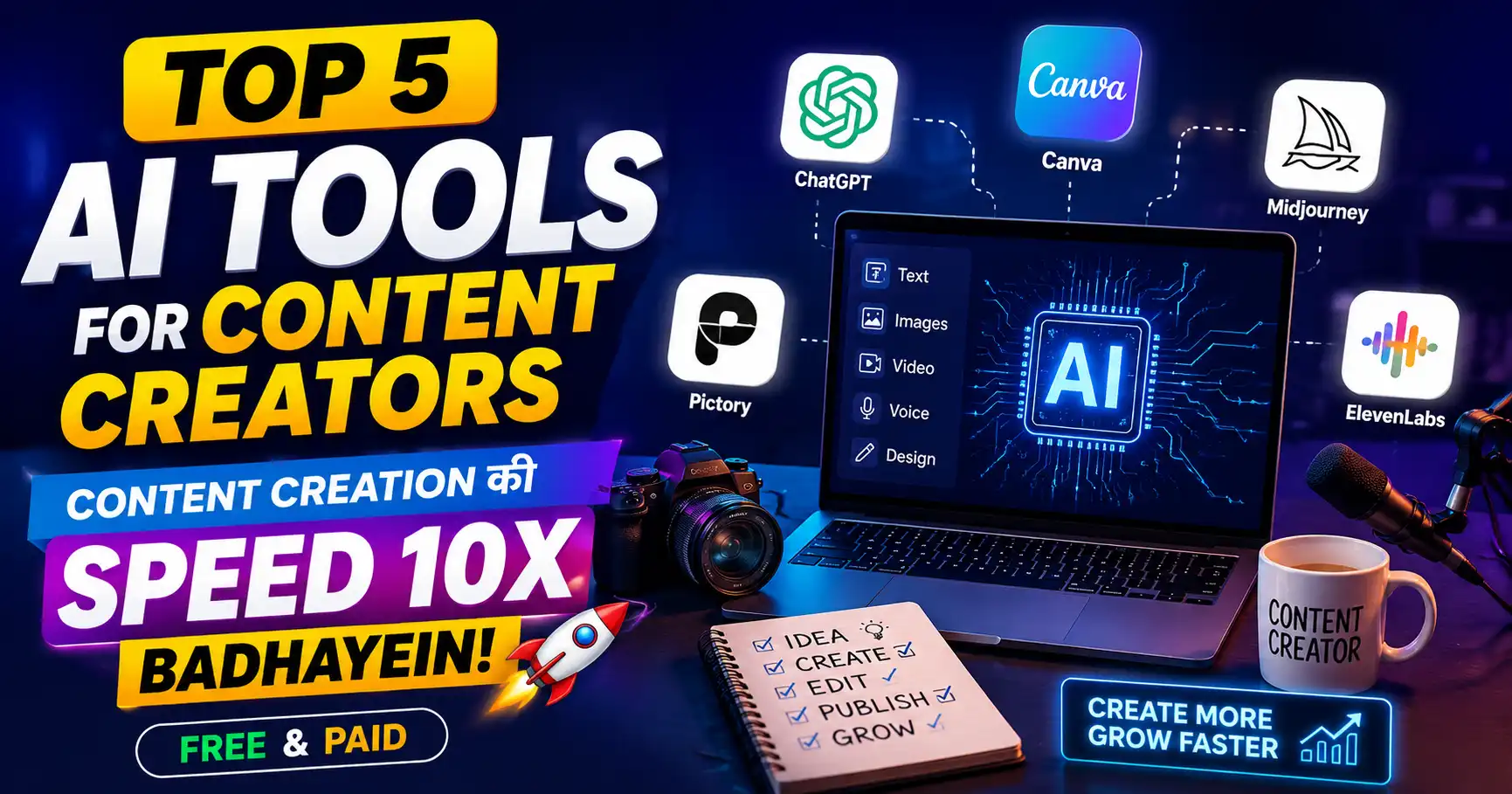
Top 5 Ai Tools for content Creators : Content Creation की Speed 10x Badhayein (Free & Paid)

यार, एक honest सवाल।
अगर तुम्हारे competitor को content बनाने में 10 घंटे लग रहे हैं — और तुम्हें सिर्फ 1 घंटा — तो कौन जीतेगा?
तुम। हमेशा
और यही कर रहे हैं 2026 के smart content creators — वो AI tools for content creators use करके अपनी speed और quality दोनों 10x कर रहे हैं।
एक YouTube video का script जो पहले 3 घंटे में लिखता था — अब 15 minutes में। Thumbnail जो 2 घंटे में बनाती थी — अब 10 minutes में। Voiceover जो professional studio में record होता था — अब घर बैठे AI से।
यह magic नहीं है — यह AI tools हैं।
आज इस guide में मैं तुम्हें वो Top 5 AI Tools for Content Creators बताऊंगा जो मैं खुद BaseGrower के लिए use करता हूं — free और paid दोनों options के साथ।
चलो शुरू करते हैं।
AI Tools for Content Creators Kyun Zaruri Hain 2026?
AI टूल्स किन-किन चीजों के लिए use करते हैं सिंपल सी तकनीक है टूल्स हमेशा कंटेंट बनाने के लिए use हुए हैं क्रिएटर के लिए और हम भी वही करने वाले हैं और किन-किन में उसे हो सकते हैं स्क्रिप्ट राइटिंग थंबनेल में और वीडियो एडिटिंग में अकाउंटिंग प्लानिंग में वॉइस ओवर में और भी बहुत कुछ तो यहां पर टैबलेट है 2026 में कंटेंट क्रिएशन कैसे करें AI की हेल्प से
2026 में content creation की reality:
| Factor | Without AI | With AI |
|---|---|---|
| Script writing | 3-4 hours | 15-30 minutes |
| Thumbnail design | 1-2 hours | 10-15 minutes |
| Video editing | 4-5 hours | 1-2 hours |
| Content planning | 2 hours | 20 minutes |
| Voiceover | Studio + Cost | Free at home |
Content creators के लिए AI का biggest advantage:
Time Saved → More Content → More Growth → More Income

एक creator:
Without AI: 2 videos/week
With AI: 5-6 videos/week (same effort)

6 months में:
Without AI: 48 videos
With AI: 120+ videos

More content = More chances to go viral
India में AI adoption: Indian content creators जो AI tools use करते हैं — उनकी growth rate उन creators से 3x faster है जो नहीं करते।
Tool 1: ChatGPT — Content Ka Brain ⭐
आज के टाइम पर चैट जीटी बहुत ही हेल्प कर रहा है हर एक फील्ड में हर एक मार्केट में जो आप ऑनलाइन करते हो उसमें ऐसी कोई चीज नहीं है जिसके अंदर यह आपकी हेल्प नहीं कर सकता और यह बेस्ट है इसकी बैटिंग के लिए ब्लॉक पोस्ट के लिए सोशल मीडिया कैप्शन कंटेंट क्रिएशन और prompt creation
Category: Writing, Ideas, Scripts, Research
Best For: YouTube scripts, blog posts, social media captions, content ideas
Price: Free (GPT-3.5) | $20/month (GPT-4)
Website: chat.openai.com
ChatGPT क्या कर सकता है Content Creators के लिए
1. YouTube Script Writing:
Prompt example:
"मेरे YouTube channel के लिए एक 10-minute script लिखो।
Topic: YouTube Shorts से subscribers कैसे बढ़ाएं
Style: Conversational Hindi, beginner-friendly
Hook: Shocking statistics से शुरू करो
Include: 5 practical tips with examples"

Result: Complete, structured script in 2 minutes
2. Content Ideas Generator:
Prompt:
"मेरा channel blogging और SEO पर है।
अगले 30 दिनों के लिए 30 video ideas दो।
हर idea में title और main points include करो।"

Result: 30 ready-to-use video ideas instantly
3. Thumbnail Text Ideas:
Prompt:
"इस YouTube video title के लिए 10 thumbnail text options दो:
'YouTube Views कैसे बढ़ाएं'
3-4 words maximum, high CTR focus"

Result: Multiple compelling thumbnail text options
4. SEO-Optimized Descriptions:
Prompt:
"इस YouTube video के लिए SEO-optimized description लिखो।
Topic: [Topic]
Main keywords: [Keywords]
Length: 200-250 words
Hindi language, conversational tone"
5. Social Media Captions:
Instagram, Facebook, Twitter — सब platforms के लिए
अलग-अलग style में captions ChatGPT generate करता है।
ChatGPT Content Creator Prompts — Save करो
Script Hook:
"[Topic] पर एक YouTube video के लिए 5 different hooks लिखो।
हर hook 1-2 sentences में हो।
Styles: Shocking, Question, Story, Benefit, Controversy"

Blog Outline:
"[Topic] पर SEO-friendly blog post outline बनाओ।
Target: Indian beginners
Length: 2000+ words
Include: H2, H3 structure, FAQ section"

Content Calendar:
"[Niche] creator के लिए monthly content calendar बनाओ।
Platform: YouTube + Instagram
Frequency: 4 videos/week YouTube + Daily Instagram
Include: Topics, formats, keywords"
Free vs Paid
| Feature | Free (GPT-3.5) | Paid (GPT-4) |
|---|---|---|
| Response quality | Good | Excellent |
| Speed | Medium | Fast |
| Context window | Limited | Large |
| Image understanding | ❌ | ✅ |
| Verdict | Beginners के लिए काफी | Pro creators के लिए |
BaseGrower Tip: Free version से शुरू करो। जब content creation consistent हो जाए — तब GPT-4 invest करो।
Tool 2: Canva AI — Design की Duniya ⭐
और अगर आप फोटोस वगैरह एडिट करना बहुत पसंद है ग्राफिक डिजाइन सीख रहे हो या यूट्यूब चैनल चला रहे हो तो आपके लिए कैनवाई कभी हद तक आपके लिए इंपॉर्टेंट हो सकता है और यह क्या-क्या नहीं कर सकता है वह देख सकते हैं आप खुद कुछ कर सकता है एडिटिंग में फोटो एडिटिंग में स्पेशली यह डिजाइनिंग का tool है
Category: Graphic Design, Thumbnails, Social Media Graphics
Best For: YouTube thumbnails, Instagram posts, channel art, presentations
Price: Free (Basic) | ₹4,000/year (Pro)
Website: canva.com
Canva AI Features for Content Creators
1. Magic Write (AI Writing):
Canva document → Magic Write → Topic type करो
→ Complete content generate होता है
→ Captions, headlines, descriptions — सब

Use case:
→ Instagram caption generation
→ Presentation text
→ Social media post copy
2. Text to Image (AI Image Generation):
Canva → Elements → Text to Image
Describe: "Shocked Indian man, orange background,
          dramatic lighting, high contrast"
→ AI-generated image for thumbnail background

Perfect for:
→ Custom thumbnail backgrounds
→ Unique visuals nobody else has
→ Faceless channel thumbnails
3. Magic Eraser:
Photo upload → Magic Eraser → unwanted elements remove
→ Clean, professional images in seconds

Use case:
→ Remove background clutter from photos
→ Clean up thumbnail images
→ Product photos background remove
4. Magic Edit:
"इस image में umbrella को remove करो"
"Background को beach scene में change करो"
→ AI text prompts से image edit

Revolutionary for content creators!
5. Background Remover:
Photo upload → Background Remove (one click)
→ Professional quality in seconds

Previously: Photoshop knowledge needed + 30 minutes
Now: 3 seconds, free in Canva Pro
6. AI Presentation Generator:
Topic type करो → AI complete presentation बनाता है
→ Slides, design, content — सब auto
→ Then customize करो

Time saved: 2-3 hours → 15 minutes
Canva Workflow for YouTube Thumbnails
Step 1: New design → YouTube Thumbnail (1280×720)
Step 2: Text to Image → Background generate करो
Step 3: अपनी photo upload → Background remove
Step 4: Magic Write → Thumbnail text options generate
Step 5: Best text choose करो → Bold font add करो
Step 6: Download → Upload to YouTube

Total time: 10-12 minutes (पहले 1-2 hours था)
Free vs Paid
| Feature | Free | Pro (₹4,000/year) |
|---|---|---|
| Templates | 250,000+ | 610,000+ |
| Background Remover | ❌ | ✅ |
| Magic Edit | Limited | Unlimited |
| Brand Kit | ❌ | ✅ |
| Storage | 5GB | 1TB |
| Verdict | Good start | Must for serious creators |
Tool 3: CapCut AI — Video Editing Revolution ⭐
Cap Cut मोबाइल यूजर के लिए काफी useful टूल है और यह वीडियो एडिटिंग में हर एक सुविधा देता है एक मोबाइल यूजर के लिए और यह लैपटॉप पीसी के लिए भी अवेलेबल है यह सभी के लिए available है जो वीडियो बनाकर डालते हैं
Category: Video Editing
Best For: YouTube videos, Reels, Shorts, TikTok
Price: Free (most features) | CapCut Pro available
Platform: Mobile + Desktop
CapCut AI Features for Content Creators
1. Auto Captions (Game Changer):
Video upload → Auto Captions → Done
→ AI automatically transcribes speech
→ Hindi + English both supported
→ Editable, styleable captions

Why critical:
85% India YouTube viewers watch with captions
Previously: Manual caption typing = 1 hour per 10-min video
Now: 2 minutes, highly accurate
2. AI Background Removal (Videos):
Green screen effect without green screen!
→ Person automatically separated from background
→ Any background image/video add करो
→ Professional effect, zero cost

Use case:
→ Studio-like backgrounds घर से
→ Branded backgrounds
→ Dynamic video backgrounds
3. Auto Reframe:
Landscape video → Automatically converts to:
→ Square (Instagram)
→ Vertical (Reels/Shorts)
→ Custom ratio

One video → All platforms! Time saving: Huge
4. AI Voice Changer:
Record in your natural voice →
AI can transform to:
→ Different tones
→ Remove background noise
→ Enhance voice quality

Perfect for: Voiceover quality improvement
5. Beat Sync:
Video clips + Music track →
AI automatically syncs cuts to music beats
→ Professional music video effect
→ Zero manual effort

Viral Reels/Shorts बनाना बहुत easy हो जाता है
6. Smart Cutout:
Object select करो → AI removes it
या
Person extract करो from any scene
→ Use anywhere in video

Advanced visual effects without After Effects
7. AI Script to Video:
[New Feature 2026]
Script type करो →
AI generates video clips, adds them together
→ Complete video from text!

Early stage लेकिन improving rapidly
CapCut Workflow for Shorts/Reels
Step 1: Raw footage import
Step 2: Auto Captions (2 minutes)
Step 3: Beat Sync with trending audio
Step 4: Auto Reframe for all platforms
Step 5: AI Background if needed
Step 6: Export → Upload

Total: 30-45 minutes (पहले 3-4 hours था)
Tool 4: Notion AI — Content Planning Powerhouse ⭐
Notion AI एक शानदार Content Planning Powerhouse है, जो आपके कंटेंट आइडिया, ब्लॉग पोस्ट, सोशल मीडिया पोस्ट और कंटेंट कैलेंडर को व्यवस्थित करने में मदद करता है। इसकी AI सुविधाओं से आप जल्दी से नए आइडिया खोज सकते हैं, कंटेंट की रूपरेखा बना सकते हैं और अपनी पूरी कंटेंट प्लानिंग को आसान व तेज़ बना सकते हैं।
Category: Content Planning, Organization, Writing
Best For: Content calendar, research notes, script drafts, idea management
Price: Free (Basic) | $10/month (AI features)
Website: notion.so
Notion AI Features for Content Creators
1. AI Content Calendar Generation:
Prompt Notion AI:
"[Niche] YouTube channel के लिए next month का
content calendar बनाओ।
Include: Topics, formats, keywords, target audience"

→ Complete structured calendar in seconds
→ Edit करो, assign करो, track करो
2. Research Summarization:
Long article/research paste करो →
"Summarize this in 5 key points for my video"
→ Quick research notes

Time saved: 2 hours reading → 10 minutes summary
3. Script Drafting:
Notion AI में:
"इस outline से full script draft करो:
[Your bullet points]
Style: Conversational Hindi
Length: 1000 words"

→ First draft ready → You refine it
4. Idea to Outline:
"Video idea: YouTube Algorithm 2026
इस पर complete video outline बनाओ
Include: Hook, main points, CTA"
5. Meeting Notes to Action Items:
Collaboration meetings → Record → Paste transcript
→ AI extracts action items automatically
Notion Content Creator System
Notion Workspace Structure:

📁 Content Calendar
   → Monthly plan (AI generated)
   → Video status tracker
   → Publication dates

📁 Video Database
   → Title, keyword, status, views
   → Script drafts
   → Thumbnail notes

📁 Ideas Bank
   → AI-generated ideas list
   → Trending topics captured
   → Research notes

📁 Analytics Tracker
   → Views, CTR, AVD per video
   → Monthly performance summary
   → AI-analyzed insights
Tool 5: ElevenLabs — Professional AI Voiceover ⭐
ElevenLabs एक powerful AI Voiceover Tool है, जिसकी मदद से आप अपने कंटेंट के लिए इंसानी आवाज़ जैसी natural और professional voice बना सकते हैं। इसका इस्तेमाल YouTube वीडियो, reels, tutorials, podcasts और अन्य content में high-quality voiceover जोड़ने के लिए किया जा सकता है।
Category: AI Voice Generation, Dubbing
Best For: Voiceovers, faceless channels, dubbing, narration
Price: Free (10,000 characters/month) | $5-$22/month
Website: elevenlabs.io
ElevenLabs Features for Content Creators
1. Text to Speech (Ultra Realistic):
Script type करो →
Select voice (Hindi voices available) →
→ Professional voiceover generated

Quality: Indistinguishable from human in many cases

Use case:
→ Faceless YouTube channels
→ Educational content narration
→ Podcast episodes
→ Video dubbing
2. Voice Cloning:
अपनी voice का sample upload करो (few minutes) →
→ AI learns your voice
→ Generate voiceover in YOUR voice

Use case:
→ Record once → Never record again
→ Sick/tired days पर भी consistent voice
→ Multiple languages में same voice
3. Hindi Language Support:
2026 में ElevenLabs का Hindi support excellent है।
Natural-sounding Hindi voiceovers generate होती हैं।

Perfect for:
→ Hindi YouTube channels
→ Hindi podcasts
→ Hindi educational content
4. Dubbing Feature:
English video upload करो →
→ AI automatically dubs into Hindi
→ Lip sync भी attempt करता है

Game changer for:
→ International content को Hindi में
→ Hindi content को English में
→ Multi-language channels
5. Sound Effects:
[New 2026 feature]
Text describe करो →
→ AI generates matching sound effect

"Dramatic reveal sound"
"Success notification"
"Tension building music"
ElevenLabs Workflow for Faceless Creators
Step 1: ChatGPT से script लिखवाओ
Step 2: ElevenLabs में paste करो
Step 3: Hindi voice select करो
Step 4: Generate → Download
Step 5: CapCut में video clips के साथ combine करो
Step 6: Auto captions add करो
Step 7: Upload

Result: Professional video without showing face
        Or without actually recording your voice

Time: 2-3 hours for complete video
Bonus Tools — Honorable Mentions
Bonus 1: Google Gemini (Free)
Best For: Real-time information, current trends, Google integration
Use Case:
→ "2026 में trending YouTube topics India"
→ Current data के साथ content research
→ Google Docs, Sheets integration

Free alternative to ChatGPT with real-time data
Bonus 2: Perplexity AI (Free)
Best For: Research with sources
Use Case:
→ Article research जब sources चाहिए
→ Fact-checking content
→ Statistics ढूंढना

"What are the latest YouTube statistics for India 2026"
→ Answer with citations
Bonus 3: Descript (Paid – $12/month)
Best For: Video editing through text
Use Case:
→ Transcript edit करो → Video automatically edits
→ "Um", "uh" automatically remove
→ Studio Sound feature (mic quality improve)

Game changer for talking head videos
Bonus 4: Adobe Firefly (Free/Paid)
Best For: Image generation for thumbnails
Use Case:
→ Custom thumbnail backgrounds
→ Product mockups
→ Concept visualizations

Adobe ecosystem integration = Bonus
Viral Content Strategy with AI Tools
Strategy 1: Trend + AI Speed
Process:
Morning: Google Trends check करो
         → Trending topic find करो in your niche

10 minutes: ChatGPT से script generate करो

30 minutes: Record करो

1 hour: CapCut से edit + AI captions

10 minutes: Canva से thumbnail

Upload: Same day

Result: Trending topic + Fast execution = Viral potential

Traditional creators: 2-3 days to publish
You with AI: Same day

First mover advantage = 10x more impressions
Strategy 2: Content Multiplication
One Long Video → AI tools से multiply:

Original: 15-minute YouTube video

Derivatives (AI-assisted):
→ 3-4 YouTube Shorts (CapCut auto-cut)
→ 5 Instagram carousel slides (Canva AI)
→ 10 Twitter/X posts (ChatGPT)
→ 1 LinkedIn article (ChatGPT)
→ Pinterest infographic (Canva)
→ Blog article (ChatGPT)
→ Email newsletter (ChatGPT)

One piece of content → 20+ pieces across platforms

This = 10x distribution from same effort
Strategy 3: AI-Assisted Thumbnail A/B Testing
Canva AI → Generate 5 different thumbnail concepts:
→ Different text options (ChatGPT)
→ Different backgrounds (Text to Image)
→ Different color schemes

Upload 2 as A/B test on YouTube
→ Data-driven winner selection

More variations → Better optimization → Higher CTR → More views
Free vs Paid — Content Creators के लिए Guide
Beginner Stage (0-6 months):
All Free Stack:
✅ ChatGPT (Free GPT-3.5)
✅ Canva (Free plan)
✅ CapCut (Free)
✅ Notion (Free)
✅ ElevenLabs (Free tier — 10K chars/month)
✅ Google Gemini (Free)

Monthly cost: ₹0
Capability: 80% of what paid offers
Intermediate Stage (6-18 months, earning ₹5,000+/month):
Smart Paid Stack:
✅ ChatGPT Plus — ₹1,600/month (worth it)
✅ Canva Pro — ₹333/month (₹4,000/year)
✅ CapCut Pro — ₹400/month (optional)
✅ Notion AI — ₹800/month
✅ ElevenLabs Basic — ₹400/month

Monthly cost: ₹3,000-₹4,000
Revenue potential increase: 3-5x
ROI: Excellent if using consistently
Pro Stage (18+ months, earning ₹30,000+/month):
Full Pro Stack:
All above + Descript, Adobe Firefly, etc.
Monthly cost: ₹8,000-₹12,000
This is a business expense — tax deductible
Common Mistakes — AI Tools Use Karte Waqt
❌ Mistake 1: Pure AI Content Publish Karna
ChatGPT से script लिखवाई → Directly record करके publish। Google और YouTube AI-only content detect कर रहे हैं।
Fix: AI = First draft। तुम्हारा personal experience, examples, और voice = Final version।
❌ Mistake 2: Too Many Tools Ek Saath
10 tools एक साथ try करने की कोशिश → None mastered।
Fix: Start with 2 tools (ChatGPT + Canva) → Master them → Then add more।
❌ Mistake 3: AI Thumbnails Without Testing
AI-generated thumbnail directly use → Never test।
Fix: Always A/B test। AI creates options, data decides winner।
❌ Mistake 4: ElevenLabs Voice Without Customization
Default voice → Robotic feel → Viewers disconnect।
Fix: Voice settings fine-tune करो — speed, pitch, emotion — natural बनाओ।
❌ Mistake 5: Losing Your Unique Voice
AI style में ही content बनाने लगना → Generic content।
Fix: AI = Tool, तुम = Director। तुम्हारी personality हर piece में होनी चाहिए।
Conclusion + Action Plan
यार, AI tools for content creators ने game completely बदल दिया है।
जो creators इन्हें सीखते और use करते हैं — वो 10x speed से grow करेंगे।
जो ignore करते हैं — वो पीछे रह जाएंगे।
Key Takeaways:
✅ ChatGPT — Scripts, ideas, captions, descriptions
✅ Canva AI — Thumbnails, designs, presentations
✅ CapCut AI — Video editing, auto captions, reframing
✅ Notion AI — Content planning, organization
✅ ElevenLabs — Voiceover, dubbing, faceless channels
✅ Free stack = ₹0 = 80% capability — Start today
✅ AI = Speed + Scale। तुम्हारी creativity + AI speed = Winning formula
🎯 Action Plan — Aaj Se Shuru Karo
आज (Setup — 1 घंटा):
- ChatGPT account बनाओ (free)
- Canva account बनाओ (free)
- CapCut app download करो (free)
- Notion account बनाओ (free)
इस हफ्ते (Learn — 1 tool per day):
- Day 1: ChatGPT से next video का script generate करो
- Day 2: Canva AI से thumbnail बनाओ
- Day 3: CapCut से video edit + auto captions
- Day 4: Notion AI से monthly content calendar
- Day 5: ElevenLabs try करो (free tier)
इस महीने (Master):
- ChatGPT prompts library बनाओ (save करो)
- Canva thumbnail template बनाओ (reusable)
- CapCut editing workflow finalize करो
- पहला AI-assisted video publish करो
3 Month Goal:
- Content output: 2x current
- Time per video: 50% कम
- Quality: Same या better
AI tools = Competitive advantage। जो आज सीखेगा — कल lead करेगा।
कोई सवाल है? Comment में पूछो — personally reply करूंगा।