




















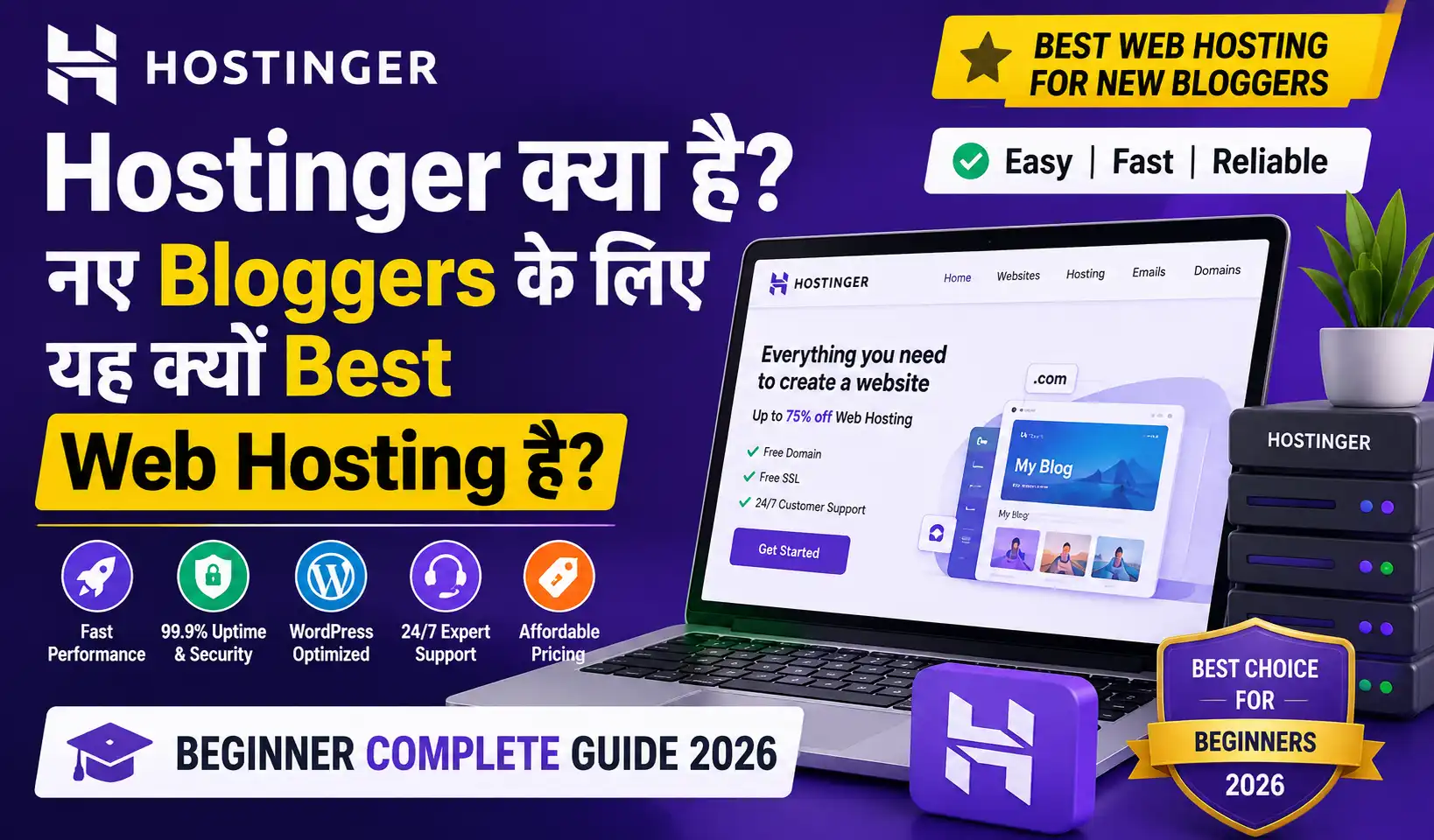
Hostinger क्या है? नए Bloggers के लिए यह क्यों Best Web Hosting है? Beginner Complete Guide 2026

यार, एक common problem है जो हर नए blogger face करता है।
Blog बनाना चाहते हो। WordPress setup करना चाहते हो। लेकिन hosting देखो — इतने options हैं कि confuse हो जाते हो।
GoDaddy, Bluehost, SiteGround, Hostinger, Namecheap — कौन सा लें? और फिर कोई बोलता है “₹200/month में हो जाएगा” — कोई बोलता है “₹800/month लगेगा।”
मैंने BaseGrower के लिए बहुत research किया — और आखिर में Hostinger choose किया
क्यों? क्योंकि यह India के नए bloggers के लिए price, performance, और simplicity — तीनों का best combination देता है।
आज इस complete guide में मैं बताऊंगा — Hostinger kya hai, Hostinger India में कैसे काम करता है, plans कौन से हैं, hostinger coupon code से discount कैसे मिलेगा, how to create subdomain in Hostinger, और एक नए blogger के लिए complete setup
हर चीज़ detail में। चलो शुरू करते हैं।
Hostinger Kya Hai? — Complete Overview
Hostinger एक international web hosting company है जो 2004 में Lithuania में founded हुई थी। एक लोकप्रिय और बजट-फ्रेंडली Web Hosting Provider है, जो आपकी website या blog को internet पर live और एक्सेसिबल बनाता है। यदि आप wordpress या कोई भी blog शुरू करना चाहते हैं, तो Hostinger आपको कम कीमत में तेज़ वेबसाइट स्पीड, 99.9% uptime, फ्री SSL सर्टिफिकेट और free domain जैसी सुविधाएं देता है। इसका hPanel dashboard बहुत ही आसान है, जिससे नए ब्लॉगर्स बिना किसी तकनीकी ज्ञान के भी अपनी website को आसानी से मैनेज कर सकते हैं।
आज 2026 में
| Fact | Detail |
|---|---|
| Founded | 2004 |
| Headquarters | Lithuania, Europe |
| Users | 29 Million+ worldwide |
| Countries | 178+ countries में service |
| Data Centers | USA, Europe, Asia, India |
| Languages | 39 languages support |
| India Operations | Active, dedicated India team |
Hostinger की tagline है: “Web Hosting for Everyone” — और यह literally true है। Beginners से professionals तक, सबके लिए plans हैं।
Hostinger Famous क्यों है:
- बहुत affordable pricing (India में ₹69/month से शुरू)
- Fast loading speed
- Beginner-friendly hPanel
- 24/7 customer support
- Free SSL certificate
- Free domain (कुछ plans में)
Hostinger India — India-Specific Details
Hostinger India में specifically:
India Data Center: Hostinger का Singapore और India-proximate server है — जिससे Indian visitors को fast loading speed मिलती है। India के users के लिए यह बहुत important है।
Payment Methods (India):
✅ Credit Card (Visa, Mastercard, Rupay)
✅ Debit Card
✅ UPI (Google Pay, PhonePe, Paytm)
✅ Net Banking
✅ PayPal
✅ Cryptocurrencies
Currency: Indian users ₹ (Indian Rupee) में payment कर सकते हैं।
Customer Support: 24/7 Live Chat — Hindi support available (though primarily English)।
Hostinger India Pricing (2026):
| Plan | Original Price | Discounted Price |
|---|---|---|
| Single Web Hosting | ₹299/month | ₹69/month |
| Premium Web Hosting | ₹499/month | ₹129/month |
| Business Web Hosting | ₹799/month | ₹229/month |
| Cloud Startup | ₹999/month | ₹599/month |
Discount prices 48-month plan पर available हैं — renewal पर higher rates लागू होती हैं।
Hostinger Plans — Complete Comparison
और अगर आप hosinger प्लान जल्द से जल्द देखना चाहते हैं कि क्या-क्या plans है और कैसे क्या करना है और आप खरीदने के लिए उत्सुक हो तो अभी इस लिंक पर क्लिक करें और live plans देखें
Plan 1: Single Web Hosting (₹69/month)
Beginner bloggers के लिए: Perfect starter – और अगर आप बिल्कुल नय हो और आपको कुछ भी नहीं आता है तो आप इस प्लान की तरफ जा सकते हो सिंगल web hosting के लिए
Features:
✅ 1 Website host कर सकते हो
✅ 50 GB SSD Storage
✅ Free SSL Certificate
✅ 100 GB Bandwidth
✅ 1 Email Account
✅ Free Domain (1 year — कुछ regions में)
✅ WordPress 1-click install
✅ Weekly Backups

Best For:
→ पहला blog शुरू करने वाले
→ Portfolio website
→ Small business site (1 site)
Plan 2: Premium Web Hosting (₹129/month) ⭐ Most Popular
Growing bloggers के लिए: Best value
Features:
✅ Unlimited Websites
✅ 100 GB SSD Storage
✅ Free SSL Certificate
✅ Unlimited Bandwidth
✅ Free Email Accounts (100)
✅ Free Domain (1 year)
✅ Daily Backups
✅ Free CDN
✅ WordPress Acceleration

Best For:
→ Multiple blogs run करने वाले
→ Growing websites
→ Professional bloggers
Plan 3: Business Web Hosting (₹229/month)
Serious bloggers के लिए: High performance
Features:
✅ Unlimited Websites
✅ 200 GB SSD Storage
✅ Free SSL
✅ Unlimited Bandwidth
✅ Daily Backups
✅ Free Domain
✅ GeoIP-based CDN
✅ 4x More Resources
✅ Priority Support

Best For:
→ High traffic blogs (10,000+ daily visitors)
→ WooCommerce stores
→ Business websites
Plan 4: Cloud Hosting (₹599/month+)
Advanced users के लिए:
Features:
✅ Dedicated Resources
✅ Guaranteed RAM and CPU
✅ Multiple websites
✅ Advanced features
✅ Custom solutions

Best For:
→ Very high traffic sites
→ Agency-level hosting
→ Enterprise businesses
Which Plan Should You Choose?
Just starting a blog: Single (₹69/month)
Multiple blogs planned: Premium (₹129/month) ← Best Value
High traffic expected: Business (₹229/month)
Enterprise/Agency: Cloud (₹599/month+)

BaseGrower Recommendation:
Premium Plan — best value for money
Unlimited websites + free domain + daily backups
= Everything a blogger needs
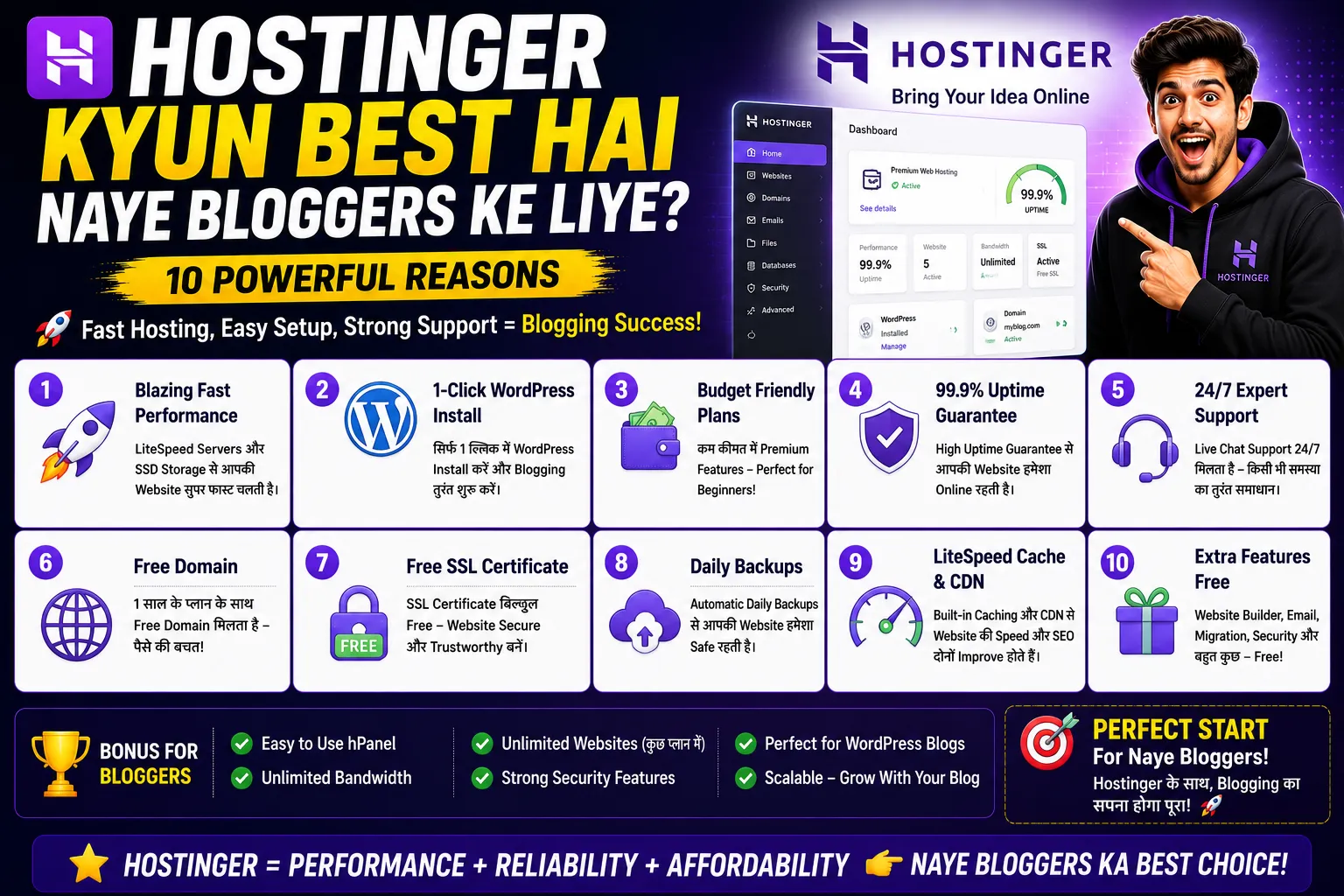
Hostinger Kyun Best Hai Naye Bloggers Ke Liye? — 10 Reasons
Reason 1: Sabse Affordable Pricing ₹69/month से
India में नए bloggers के लिए budget biggest concern है। Hostinger इसे solve करता है।
Comparison:
Hostinger Starter: ₹69/month
GoDaddy Economy: ₹299/month
Bluehost Basic: ₹299/month
SiteGround Startup: ₹699/month

Same quality के लिए Hostinger = 4-10x cheaper
Reason 2: Beginner-Friendly hPanel
Hostinger का खुद का control panel है — hPanel — जो cPanel से ज़्यादा simple और modern है।
hPanel में:
→ WordPress 1-click install (2 minutes में)
→ Domain management easy
→ Email setup simple
→ File manager intuitive
→ Database management clear

Traditional cPanel: Overwhelming for beginners
hPanel: Even a 12-year-old can navigate
Reason 3: Free SSL Certificate
SSL = Website पर “HTTPS” लगाना।
Without SSL:
→ Browser "Not Secure" warning दिखाता है
→ Google ranking penalizes
→ Visitors डरते हैं

Hostinger में:
→ Free SSL certificate automatically
→ One-click activation
→ Auto-renewal

Other providers SSL के लिए: ₹500-₹2,000/year charge करते हैं
Hostinger: Free!
Reason 4: Free Domain (Premium+ Plans)
Premium plan के साथ:
→ 1 year free domain (.com, .net, .in, etc.)
→ Value: ₹800-₹1,200

Combined saving:
Free Domain + Free SSL + Low hosting price
= Excellent value for beginners
Reason 5: Fast Loading Speed
PageSpeed Insights Test (India):
Hostinger: 85-95 score
Average shared hosting: 60-75 score

Fast loading = Better user experience
= Better Google ranking
= More organic traffic
= More readers for your blog
Reason 6: 99.9% Uptime Guarantee
Uptime = कितने time website online रहती है

99.9% uptime = Maximum 8.7 hours downtime per year

What this means for bloggers:
→ Website hamesha available
→ Readers kabhi "site not found" nahi dekhenge
→ Google indexing properly hogi
Reason 7: 24/7 Customer Support
Support channels:
→ Live Chat (fastest — typically < 2 minutes response)
→ Email support
→ Comprehensive knowledge base
→ Tutorial videos

In my experience:
Support team genuinely helpful
Issues typically resolved in 1 chat session

Critical for beginners who need hand-holding
Reason 8: WordPress-Optimized Hosting
Hostinger specifically WordPress optimize करता है:

→ LiteSpeed Web Server (faster than Apache)
→ WordPress Auto-installer
→ WordPress-specific caching
→ WordPress vulnerability scanning
→ Automatic WordPress updates (optional)

Result: WordPress blog faster and more secure
Reason 9: Daily Backups (Premium+)
Backup = तुम्हारे blog का safety net

What if:
→ Accidentally content delete हो जाए?
→ WordPress update crash हो?
→ Hack हो जाए?

Without backup: Data loss permanent
With Hostinger backups: 1 click restore

Daily backups in Premium plan = Peace of mind
Reason 10: LiteSpeed Cache + CDN
LiteSpeed Cache:
→ WordPress pages cache करता है
→ Load time dramatically reduce
→ Free plugin available

CDN (Content Delivery Network):
→ Content globally distribute होता है
→ Indian visitors के लिए nearby server से serve
→ Faster loading for Indian audience

Together: Blog super fast for Indian readers
Hostinger vs Other Hosting — Honest Comparison
| Feature | Hostinger | GoDaddy | Bluehost | SiteGround |
|---|---|---|---|---|
| Starting Price | ₹69/month | ₹299/month | ₹299/month | ₹699/month |
| Free SSL | ✅ | ✅ | ✅ | ✅ |
| Free Domain | ✅ (Premium+) | ✅ (1st year) | ✅ | ❌ |
| Storage | 50GB-200GB | 100GB unmetered | 50GB | 10GB |
| Speed | ⭐⭐⭐⭐⭐ | ⭐⭐⭐ | ⭐⭐⭐⭐ | ⭐⭐⭐⭐⭐ |
| Support | 24/7 Chat | 24/7 Phone+Chat | 24/7 Chat | 24/7 Chat |
| Ease of Use | ⭐⭐⭐⭐⭐ | ⭐⭐⭐⭐ | ⭐⭐⭐⭐ | ⭐⭐⭐ |
| India Friendly | ⭐⭐⭐⭐⭐ | ⭐⭐⭐ | ⭐⭐⭐ | ⭐⭐⭐ |
| Value for Money | ⭐⭐⭐⭐⭐ | ⭐⭐⭐ | ⭐⭐⭐ | ⭐⭐⭐ |
Winner for Indian Beginners: Hostinger — clearly।
Hostinger Par Blog Kaise Banayein — Step by Step
Step 1: Plan Choose और Purchase करो
hostinger.com पर जाओ
→ "Web Hosting" click करो
→ Plan select करो (Premium recommended)
→ Duration select करो (4 years = maximum discount)
→ Domain name choose करो
→ Payment complete करो
Pro Tip: 48-month (4-year) plan = Maximum discount। Renewal rates higher होते हैं — long-term plan में ज़्यादा saving।
Step 2: hPanel Access करो
Email confirmation आएगी
→ hPanel login link
→ Username + Password set करो
→ hPanel dashboard open होगा
Step 3: WordPress Install करो
कैसे आप blog पोस्ट सेटअप करके स्टार्ट करोगी complete गाइड आपको इस आर्टिकल में मिल जाएगी
hPanel → Websites → Add Website
→ Create a new website
→ WordPress select करो
→ Domain select करो
→ Admin username, password, email set करो
→ "Install WordPress" click करो

Time: 2-3 minutes
Done! WordPress installed।
Step 4: WordPress Dashboard Access करो
yourdomain.com/wp-admin
→ Username + Password enter करो
→ WordPress dashboard open!

अब यहाँ से:
→ Theme install करो
→ Plugins add करो
→ Content publish करो
Step 5: Essential WordPress Setup
Immediately after login:

1. Theme install करो (Astra या GeneratePress — free)
2. Essential Plugins:
   → Rank Math (SEO)
   → WP Rocket या LiteSpeed Cache (Speed)
   → Akismet (Spam protection)
   → Contact Form 7 (Contact form)

3. Settings:
   → General: Site title + Tagline
   → Permalinks: Post name (for SEO)
   → Reading: Static page या latest posts

4. First page/post publish करो: About page!
How to Create Subdomain in Hostinger — Complete Guide
Subdomain kya hota hai:
Main domain: basegrower.com
Subdomain examples:
→ blog.basegrower.com
→ shop.basegrower.com
→ hindi.basegrower.com
→ tools.basegrower.com
When do you need a subdomain:
→ Blog और main site अलग रखना हो
→ Different language versions
→ Separate store या portfolio
→ Testing environment (staging.yourdomain.com)
How to Create Subdomain in Hostinger — Steps
Method 1: hPanel से (Easiest)
Step 1: hPanel login करो (hpanel.hostinger.com)

Step 2: Left sidebar → "Domains" click करो

Step 3: अपना domain select करो

Step 4: "Subdomains" section पर click करो

Step 5: "Create a Subdomain" button click करो

Step 6: Subdomain name enter करो:
        "blog" (यह blog.yourdomain.com बनाएगा)

Step 7: Document root choose करो:
        Default: /public_html/blog
        (यही रखो — automatically folder create होगा)

Step 8: "Create" button click करो

Time: 30 seconds to a few minutes to propagate
Method 2: File Manager से (For Files)
Step 1: hPanel → File Manager
Step 2: public_html folder खोलो
Step 3: New Folder बनाओ (subdomain के नाम से)
Step 4: hPanel → Domains → Subdomains
Step 5: Subdomain add करो, folder को point करो
Step 3: Subdomain पर WordPress Install करो (Optional)
अगर subdomain पर अलग WordPress blog चाहते हो:

hPanel → Websites → Add Website
→ Domain dropdown → Subdomain select करो
→ WordPress install करो

Result: blog.yourdomain.com पर separate WordPress!
Subdomain Propagation Time:
Generally: Few minutes to 24 hours
India में typically: 30 minutes to a few hours
Check: yourdomain.com/subdomain पर जाओ
Subdomain Delete कैसे करें:
hPanel → Domains → Subdomains
→ Subdomain find करो
→ "..." → "Delete"
→ Confirm
Hostinger Coupon Code 2026 — Maximum Discount Kaise Milega
यह section बहुत important है — proper discount लेना ज़रूरी है।
Hostinger Coupon Code कैसे Apply करें
Step 1: hostinger.com पर जाओ
Step 2: Plan select करो
Step 3: Cart/Checkout page पर जाओ
Step 4: "Have a coupon code?" field ढूंढो
Step 5: Code enter करो
Step 6: "Apply" click करो
Step 7: Discount automatically apply होगा
Current Best Discount Methods (2026)
Method 1: Long-term Plan
1 Month: Almost no discount
12 Months: 40-50% discount
24 Months: 55-65% discount
48 Months: 75-80% discount (Maximum saving!)

Recommendation: 48-month plan = Maximum savings
Method 2: Seasonal Sales
Hostinger major discounts runs on:
→ Black Friday (November) — Up to 90% off
→ Cyber Monday
→ New Year Sale
→ Diwali Sale (India)
→ Independence Day Sale

Check: hostinger.com/deals during these periods
Method 3: Affiliate/Referral Discounts
Special discount links:
→ Tech bloggers की review posts में
→ YouTube reviews में
→ Coupon websites पर

BaseGrower Tip:
Check hostinger.com official page पर current offer
हमेशा current promotional price दिखती है।
Method 4: Student Discount
Hostinger कभी-कभी student discounts offer करता है।
.edu email होने पर check करो।
Renewal Pricing Strategy
Important Warning:
Introductory price: ₹69/month
Renewal price: ₹299/month (much higher!)

Smart Strategy:
→ Maximum term (48 months) से start करो
→ Renewal से 1-2 months पहले:
   Alternative hosting compare करो
   या
   New account बनाकर promotional price लो (if migrating is fine)
   या
   Hostinger से retention discount request करो (support chat में)
Hostinger Affiliate Program — Extra Income Opportunity
Hostinger का affiliate program bloggers के लिए excellent है।
| Detail | Information |
|---|---|
| Commission | 40% – 60% per sale |
| Cookie Duration | 30 days |
| Minimum Payout | $100 |
| Payment | PayPal, Bank Transfer |
| Join | hostinger.com/affiliates |
Real Earning Potential:
₹129/month Premium plan × 12 months = ₹1,548
60% commission = ₹929 per referral

10 referrals/month = ₹9,290
50 referrals/month = ₹46,450

यह Hostinger की review/tutorial blogs से possible है।
BaseGrower Strategy:
Blog post: "Hostinger Review Hindi 2026"
YouTube video: "Hostinger Par Blog Kaise Banayein"
→ Affiliate links in content
→ Readers buy through your link
→ Commission earned

This is one of highest-paying blog affiliate programs।
Blog Setup Ke Baad — Next Steps for Beginners
Week 1-2: Technical Setup
✅ WordPress installed
✅ Theme setup (Astra free)
✅ Plugins installed (Rank Math, LiteSpeed)
✅ Permalinks: Post name
✅ About page published
✅ Contact page published
✅ Privacy Policy page (important for AdSense)
Month 1: Content Creation Start
First 10 Articles Plan:
→ Articles 1-3: Pillar content (long, comprehensive)
→ Articles 4-7: Supporting content (specific topics)
→ Articles 8-10: List posts (shareable)

Focus:
→ One specific niche (don't cover everything)
→ Keyword research for each article
→ Minimum 1,000-1,500 words each
→ One article per week minimum
Month 2-3: SEO and Traffic
→ Google Search Console setup करो
→ Google Analytics install करो
→ Rank Math configure करो properly
→ Internal linking start करो
→ Social media promotion
→ First backlinks build करो (guest posts, forums)
Month 4-6: Monetization
Options:
1. Google AdSense (once approved)
2. Affiliate marketing (Amazon, Hostinger, etc.)
3. Digital products (ebook, course)
4. Sponsored posts

Realistic:
Month 6: ₹1,000-₹5,000/month possible with consistent work
Month 12: ₹10,000-₹50,000/month with good traffic
Common Mistakes — Naye Bloggers Karte Hain
❌ Mistake 1: सबसे Cheap Plan लेकर शुरू करना
Single plan पर 1 site limit है। जल्द ही दूसरी site बनाना चाहोगे। Fix: Premium plan ले जो unlimited sites allow करता है।
❌ Mistake 2: Short Duration Plan
1-month plan = Almost full price = No discount। Fix: 12 या 24 month plan minimum — 48-month maximum savings।
❌ Mistake 3: Domain Name बाद में Decide करना
Good domain names quickly taken हो जाते हैं। Fix: Hosting के साथ ही domain finalize करो।
❌ Mistake 4: Backups Enable नहीं करना
Hostinger automatic backups enable करता है — but verify करो। Fix: hPanel → Backups → Ensure enabled।
❌ Mistake 5: SSL Activate नहीं करना
SSL certificate available है लेकिन activate करना पड़ता है। Fix: hPanel → SSL → Activate।
❌ Mistake 6: WordPress Admin Password Weak रखना
“admin” username या weak password = Hack risk। Fix: Strong username (not “admin”) + strong password।
FAQ — Hostinger ke Baare Mein Common Sawaal
Q1: Hostinger par WordPress free hai? A: हाँ! WordPress software free है। तुम सिर्फ hosting और domain के लिए pay करते हो।
Q2: Hostinger se hosting change kar sakte hain baad mein? A: हाँ — website migration possible है। Hostinger free migration support भी देता है।
Q3: Kya Hostinger Hindi mein available hai? A: Dashboard primarily English में है, लेकिन support team Hindi में help कर सकती है।
Q4: Hostinger par email account kaise banate hain? A: hPanel → Emails → Email Accounts → Create → Done।
Q5: Agar website slow ho toh? A: hPanel → Speed Optimization → Enable LiteSpeed cache। अगर फिर भी slow है — plan upgrade consider करो।
Q6: Renewal price bahut zyada hai — kya karein? A: Renewal से पहले Hostinger support से discount request करो। अक्सर retention offer देते हैं।
Conclusion + Action Plan
यार, नए bloggers के लिए Hostinger India में सबसे best web hosting है — इसमें कोई doubt नहीं।
Affordable price + Fast speed + Beginner-friendly interface + Free SSL + Free Domain = Complete package।
Key Takeaways:
✅ Hostinger kya hai — Global web hosting company, 29 million+ users, India-friendly
✅ Hostinger India — UPI payment, affordable ₹69/month से, India server
✅ Hostinger coupon code — Maximum discount = 48-month plan + Seasonal sales
✅ How to create subdomain in Hostinger — hPanel → Domains → Subdomains → Create (30 seconds)
✅ Premium plan = Best value for bloggers
✅ Affiliate program = Extra income opportunity
✅ Start करो — learn while doing
🎯 Action Plan — Aaj Se Shuru Karo
आज (1 घंटा):
Domain name 3-5 options think करो
- Hostinger.com पर plans check करो
- Premium plan (₹129/month) best value है — verify करो
आज ही Purchase करो:
- Plan: Premium (Unlimited sites के लिए)
- Duration: 48 months (maximum savings)
- Domain: .com या .in choose करो
- Payment: UPI/Card
Account मिलते ही (Same Day):
- hPanel explore करो
- WordPress install करो
- SSL activate करो
- WordPress admin access करो
पहले हफ्ते में:
- Theme install करो (Astra — free) ya koi or your choice
- Rank Math SEO plugin install करो
- About + Contact page publish करो
- पहला blog post plan करो
पहले महीने में:
- 4-8 quality articles publish करो
- Google Search Console setup करो
- Social media promotion start करो
शुरू करो — आज। Blogging journey अभी start होती है। 🚀
कोई सवाल है? Comment में पूछो — personally reply करूंगा।