

यार, एक सच बताता हूं।
जब मैंने BaseGrower का YouTube channel बनाने का सोचा — तो मैं 3 हफ्ते तक सिर्फ सोचता रहा।
“Channel name क्या रखूं?” “Art कैसा बनाएं?” “पहली video किस topic पर बनाऊं?” “क्या लोग देखेंगे?”और 3 हफ्ते बाद मैंने realize किया — यह सब excuses थे।
सच यह था — मुझे पता नहीं था YouTube channel properly कैसे setup करते हैं। और बिना proper setup के channel professional नहीं लगता — और लोग subscribe नहीं करते।
इसीलिए आज यह guide लिख रहा हूं। ताकि आप लोगों की भी हेल्प हो सके
YouTube channel बनाना literally 10 minutes का काम है। लेकिन उसे properly setup करना — वो 2-3 घंटे का काम है जो 90% creators skip कर देते हैं।
और यही skip करना उनके channel को average बनाता है।
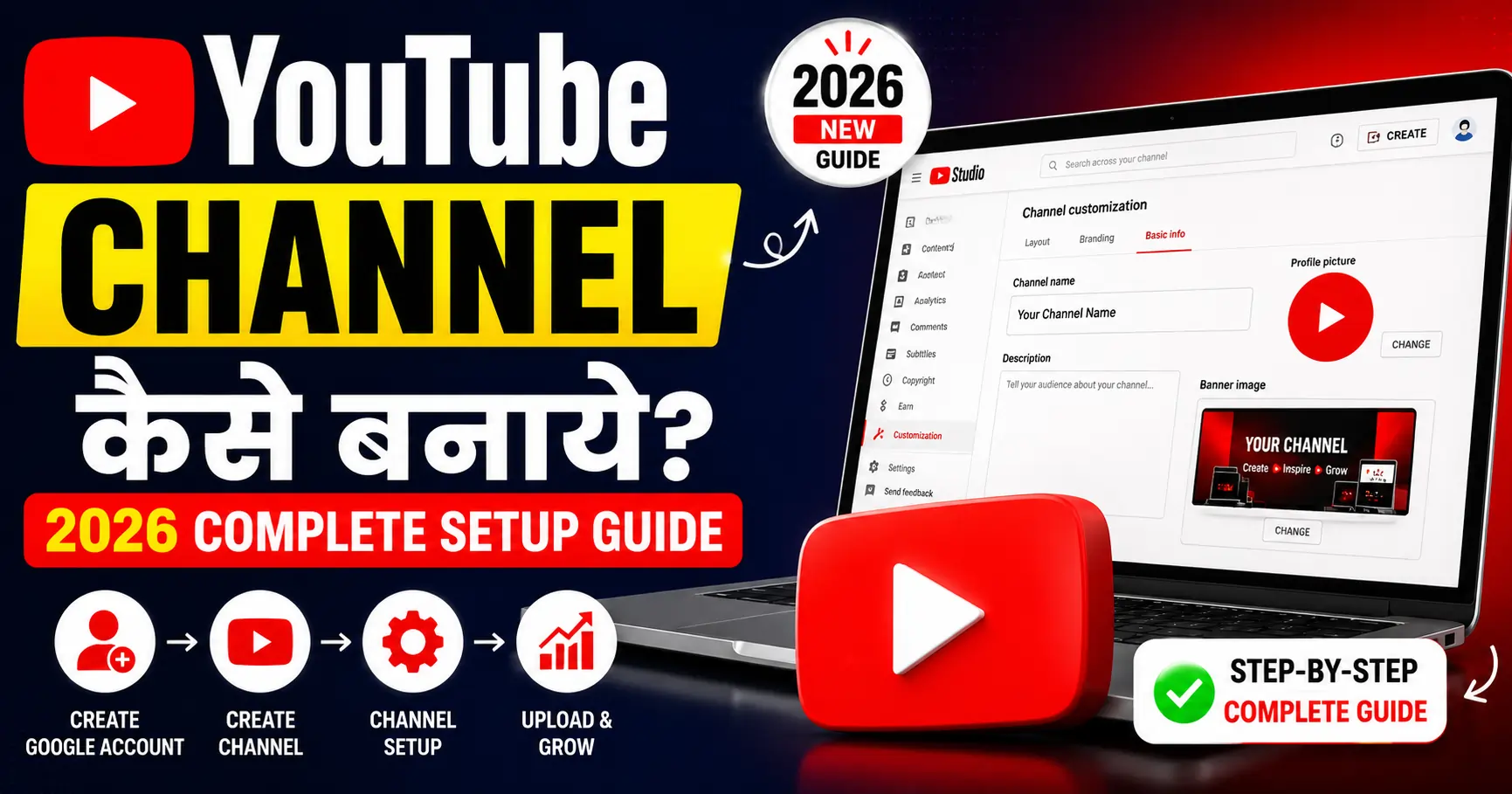
मैं तुम्हें step-by-step दिखाऊंगा — BaseGrower channel को example लेकर — कि एक professional YouTube channel कैसे बनाते और setup करते हैं।
Laptop हो या phone — दोनों से यह guide follow हो सकती है।
YouTube Channel बनाने से पहले — 3 Important Decisions
Channel बनाने से पहले यह 3 चीज़ें decide करो। बाद में change करना मुश्किल होता है। क्योंकि जब बार-बार चेंज करते हैं तो फिर आपके seo में फर्क पड़ता है और आपका चैनल बूस्ट नहीं हो पता है
Decision 1: Channel का Niche क्या होगा?
Niche = तुम्हारा channel किस topic के बारे में होगा। ताकि फिर आगे आपको वीडियो बनाने में दिक्कत ना हो क्योंकि तुम्हारी स्क्रीन से तुम्हारी नीचे की साइट करती है कि तुमने क्या इंटरेस्ट है
Niche choose करने का Formula:
तुम्हारी Passion + तुम्हारी Skills + Market Demand = Perfect Niche
Examples:
- Cooking passion + घर पर recipe बनाना = Indian Home Cooking Channel
- Tech knowledge + Reviews = Budget Tech India
- Online earning interest + Personal experience = BaseGrower जैसा channel
Niche specific रखो:
❌ Broad: “Everything Channel” ✅ Specific: “Hindi Blogging aur SEO Tips”
❌ Broad: “Cooking Channel” ✅ Specific: “10 Minute Healthy Indian Breakfast Recipes”
BaseGrower Niche: Blogging, SEO, Online Earning, और Digital Marketing — Hindi में, Indian beginners के लिए।
यह specific है — और इसीलिए right audience attract होती है।
Decision 2: Personal Brand या Faceless?
अपने वीडियो को किस तरीके से आप पब्लिश करोगे कैशलेस पब्लिश करना चाहते हो या पर्सनल ब्रांड जाते हो वह आपको ही डिसाइड करना होगा और आपकी niche के हिसाब से ही करना होगा
Personal Brand Channel:
- तुम्हारा face दिखता है
- Faster trust build होता है
- Brand deals ज़्यादा मिलते हैं
- Examples: Technical Guruji, Dhruv Rathee
Faceless Channel:
- Face नहीं दिखाना पड़ता
- Screen recordings, animations, voiceover
- Scalable — team hire करके चला सकते हो
- Examples: Many finance और news channels
BaseGrower Recommendation: Beginner हो तो personal brand से शुरू करो — trust faster बनती है, channel faster grows होता है।
Decision 3: Channel Name क्या रखें?
Channel name = पहला impression। और एक अच्छा चैनल नेम अगर आप सर्च कर रहे हो तो आपके लिए मैं लेकर आ चुका हूं एक ऐसी वेबसाइट जिसके अंदर आप केवल दो शब्द के अंदर अच्छे से अच्छा बिजनेस नाम निकाल सकते हो जिस प्रकार का आपको चाहिए इस प्रकार का और वह site का लिंक दे रहा बिजनेस name generater
Good Channel Name के Rules:
- याद रखने में आसान हो
- Niche hint करे (optional लेकिन helpful)
- 1-3 words — simple
- Available हो (check करो search करके)
- Future-proof हो — बहुत specific नहीं
Examples:
- ✅ “BaseGrower” — brand feel, yaadgaar
- ✅ “TechBurner” — niche hint, catchy
- ✅ “Nikhil Sharma” — personal brand
- ❌ “Best Hindi SEO Tips 2024 Channel” — too specific, outdated
BaseGrower Channel Name क्यों: “Base” = foundation, “Grower” = growth — यह दोनों मिलकर बताते हैं कि हम लोगों की online presence की foundation grow करते हैं। Memorable, meaningful, और timeless। और उनके बिजनेस को ग्रुप करने में हेल्प करते हैं और ऑनलाइन कैसे अर्निंग करते हैं उसके बारे में भी हम सीखते हैं और इसी साइट पर आपको बहुत सारे आर्टिकल्स मिल जाएंगे ऑनलाइन अर्निंग के की कैसे पैसे कमाए जाते हैं ऑनलाइन earning से
Step 1: Google Account बनाओ (या Existing Use करो)
YouTube channel के लिए Google Account ज़रूरी है।
Personal vs Brand Account — Important Decision:
Personal Google Account:
- तुम्हारे personal Gmail से channel
- Limited — एक ही channel
Brand Account (Recommended):
- Channel का अलग identity
- Multiple managers add कर सकते हो
- Future में team handle कर सकती है
- Professional approach
BaseGrower की Recommendation: Brand Account बनाओ।
Brand Account Setup:
- myaccount.google.com पर जाओ
- या YouTube पर जाओ → Profile icon → “Create a channel”
Step 2: YouTube Channel Create करो
Desktop से:
- youtube.com पर जाओ
- Right top corner पर Sign In करो
- Profile icon click करो
- “Create a channel” option select करो
- “Use a custom name” click करो (Brand Account के लिए)
- Channel name type करो — Example: BaseGrower
- “Create” button click करो
Done! Channel बन गया।
Phone से:
- YouTube app open करो
- Profile icon tap करो (top right)
- “Your channel” tap करो
- “Create channel” tap करो
- Name enter करो — BaseGrower
- “Create channel” tap करो
Step 3: Channel Profile Photo (Logo) Setup करो
Profile photo (logo) वो पहली visual चीज़ है जो लोग देखते हैं — search results में, comments में, everywhere यही एक ऐसी चीज है जिसे आप जितना भी अच्छा बना वह काम ही लगता है एक बार अगर आप लिखना लोगों बना दो तो उसके बाद उसको बार-बार चेंज मत करना यही मेरी आप से गुजारिश है
Profile Photo Requirements:
- Size: 800×800 pixels (minimum)
- Format: JPG, PNG, GIF, BMP
- Circular crop होती है — center में main element रखो
- Clear और recognizable small size में भी
Your youtube channel के लिए Profile Photo कैसे बनाएं:
Option 1: Canva (Free — Recommended)
- canva.com पर जाओ (account free है)
- Search: “YouTube Profile Picture” template
- Template choose करो
- Text में “BG” या “BaseGrower” लिखो
- Color scheme: BaseGrower colors (orange #E05000 या #FF8C42)
- Download करो — PNG format
- YouTube पर upload करो
BaseGrower Logo Style:
- Background: Dark orange (#E05000)
- Text/Icon: White
- Font: Bold, readable
- Clean और minimal design
Option 2: Phone से Logo बनाओ
Canva app download करो → YouTube logo template → Customize करो।
Profile Photo Upload कैसे करें:
- YouTube Studio (studio.youtube.com) पर जाओ
- Left sidebar → Customization
- Branding tab
- Profile picture → Upload करो
- Publish करो
Step 4: Channel Art (Banner) बनाओ
Channel banner वो बड़ी image है जो channel page पर top पर दिखती है।
Banner Requirements:
- Size: 2560×1440 pixels (यह important है)
- Safe zone (सभी devices पर दिखने वाला area): 1546×423 pixels center में
- File size: 6MB से कम
- Format: JPG, PNG, GIF, BMP
क्यों Banner Important है: पहली बार कोई तुम्हारा channel visit करे → Banner देखे → तुरंत समझ आए channel किस बारे में है।
BaseGrower Banner में क्या होना चाहिए:
[LEFT SIDE]          [CENTER]                [RIGHT SIDE]
Profile logo         "BaseGrower"            Upload Schedule:
                     "Blogging | SEO |       "New Videos:
                     Online Earning"          Every Week"
                     "Hindi Mein Seekho"
Canva से Banner बनाओ:
- Canva → “YouTube Channel Art” template search करो
- 2560×1440 size का template select करो
- Background color: Dark gradient या solid (#1a1a1a dark या orange)
- Channel name prominent रखो: “BaseGrower”
- Tagline add करो: “Blogging | SEO | Online Earning — Hindi Mein”
- Upload schedule mention करो: “Every Week New Video”
- Social media handles add करो (optional)
- Download → PNG
- YouTube Studio → Customization → Branding → Banner image → Upload
Phone Visibility Check: Canva में “show safe zones” enable करो — mobile पर जो दिखेगा वो check करो।
Step 5: Channel Description लिखो (SEO Optimized)
Channel description YouTube search में rank होती है — इसे seriously लो।
Description Structure:
[First 100-150 characters — Most Important]
Main keyword + Channel का purpose

[About Section — 200-300 words]
Channel के बारे में detail
Topics cover होंगे
Audience कौन है
Upload schedule

[Keywords naturally woven in]

[Links]
Website:
Instagram:
Email for business:
BaseGrower Channel Description Example:
BaseGrower — Hindi Mein Blogging, SEO aur Online Earning Seekho! 🚀

Kya tum ek successful blog ya online business banana chahte ho?
BaseGrower par aapko milega:

✅ Blogging Tips — Blog kaise banaye, grow kare, aur monetize kare
✅ SEO Guide — On-Page, Off-Page, Technical SEO — sab Hindi mein
✅ Online Earning — Affiliate marketing, digital products, freelancing
✅ YouTube Tips — Channel grow karne ki proven strategies
✅ AI Tools — ChatGPT, Gemini se kaise kaam aasaan kare

Main hun Alpha — BaseGrower ka founder. Maine khud in methods se
online earning shuru ki aur ab tum logo ke saath share karta hun.

Har hafte new video aati hai — Subscribe karo aur bell icon dabao
taaki koi bhi video miss na ho! 🔔

📱 Website: basegrower.com
📸 Instagram: @basegrower
📧 Business: contact@basegrower.com

#Blogging #SEO #OnlineEarning #HindiYouTube #BaseGrower
Description SEO Tips:
- Main keywords first 100 characters में
- Natural keywords — “blogging tips Hindi”, “SEO kaise kare”, “online earning”
- Upload schedule mention करो
- All links add करो
- Hashtags end में (3-5)
Description कहां Add करें: YouTube Studio → Customization → Basic info → Description
Step 6: Channel Handle Set करो
2022 के बाद YouTube ने @handles introduce किए — यह Twitter handles जैसे होते हैं।
@BaseGrower — यह तुम्हारा unique YouTube identity है।
Handle कैसे Set करें:
- YouTube Studio → Customization → Basic info
- Handle section में जाओ
- “@BaseGrower” type करो (available check होगा)
- Publish
Handle क्यों Important है:
- Shareable URL = youtube.com/@BaseGrower
- Comments में mention होते “@BaseGrower”
- Community posts में tag होते
- Search में आते हो
Step 7: Channel Links और Featured Sections Setup करो
Links Add करो
YouTube Studio → Customization → Basic info → Links
Important Links:
- Website: basegrower.com
- Instagram: instagram.com/basegrower
- Telegram: t.me/basegrower
- Twitter/X: twitter.com/basegrower
ये links youtube channel banner पर automatically दिखते हैं।
Featured Sections Setup करो
Featured sections तुम्हारे channel homepage को organized बनाते हैं।
YouTube Studio → Customization → Layout → Add section
Recommended Sections Order:
1. Featured Video (Latest या Best video)
   ↓
2. Popular Uploads (Most viewed videos)
   ↓
3. Playlists (Topic-wise organized)
   ↓
4. All Videos
BaseGrower के लिए Sections:
- Featured: Latest video
- Playlist: “SEO Complete Guide”
- Playlist: “Blogging Tips Hindi”
- Playlist: “Online Earning Methods”
- Popular Uploads
Step 8: Channel Trailer बनाओ
Channel trailer वो video है जो non-subscribers को channel page पर दिखती है।
यह basically 60-90 second का pitch है — “subscribe क्यों करो।”
Trailer का Structure:
0-5 sec:   Hook — "अगर तुम online earning करना चाहते हो..."
5-20 sec:  Problem — "लेकिन सब कुछ English में है, complicated है..."
20-40 sec: Solution — "BaseGrower पर सब Hindi में, simple तरीके से"
40-55 sec: Proof — Quick montage of best content moments
55-75 sec: CTA — "Subscribe करो, bell icon दबाओ"
BaseGrower Trailer Script Example:
“यार, online earning करना है — लेकिन सब कुछ English में, technical language में… समझ ही नहीं आता।
मैंने भी यही feel किया था। इसीलिए BaseGrower बनाया।
यहां तुम्हें मिलेगा — Blogging, SEO, Affiliate Marketing, Online Earning — सब कुछ simple Hindi में। Step-by-step। Beginner के लिए।
[Best moments montage — 10 seconds]
हर हफ्ते new video आती है। Subscribe करो — नीचे button है। 👇”
Trailer Upload करने के बाद: YouTube Studio → Customization → Layout → Channel trailer → Select video
Step 9: About Section और Contact Email
About Section: यह वो page है जो brands और collaborators सबसे पहले देखते हैं।
YouTube Studio → Customization → Basic info → Description (यही About में दिखता है)
Contact Email ज़रूर Add करो:
Business email add करने से:
- Brands contact कर सकती हैं
- Collaboration opportunities मिलती हैं
- Professional impression बनता है
Email Setup:
- YouTube Studio → Customization → Basic info
- Email for business inquiries field
contact@basegrower.comयाbasegrower@gmail.com
Step 10: YouTube Studio Setup और Settings
Basic Settings
YouTube Studio → Settings → Channel
Country: India select करो Keywords: Channel keywords add करो
Hindi blogging, SEO tips Hindi, online earning India,
YouTube tips Hindi, digital marketing Hindi, BaseGrower
Default upload settings:
- Default language: Hindi
- Default category: Education या How-to & Style (niche के हिसाब से)
- Default tags: Add karo common tags
Monetization Tab Check करो
Settings में Monetization section check करो — requirements track करो।
Upload Defaults Setup करो
YouTube Studio → Settings → Upload defaults
यहां हर video के लिए default settings set करो:
- Default description template
- Default tags
- Default category
- Default language
Time बचेगा every upload पर।
Step 11: Verification और Advanced Features Unlock करो
Phone Number से Verify करो
YouTube Studio → Settings → Channel → Feature eligibility
Phone verify करने से unlock होता है:
- 15 minutes से ज़्यादा long videos
- Custom thumbnails ← यह सबसे important है
- Live streaming
- Content ID appeals
Custom Thumbnails क्यों ज़रूरी: Default thumbnails CTR बहुत कम होती है। Custom thumbnails = higher CTR = more views।
Verify कैसे करें:
- Settings → Channel → Feature eligibility
- “Intermediate features” → Verify करो
- Phone number enter करो
- Code enter करो
- Done!
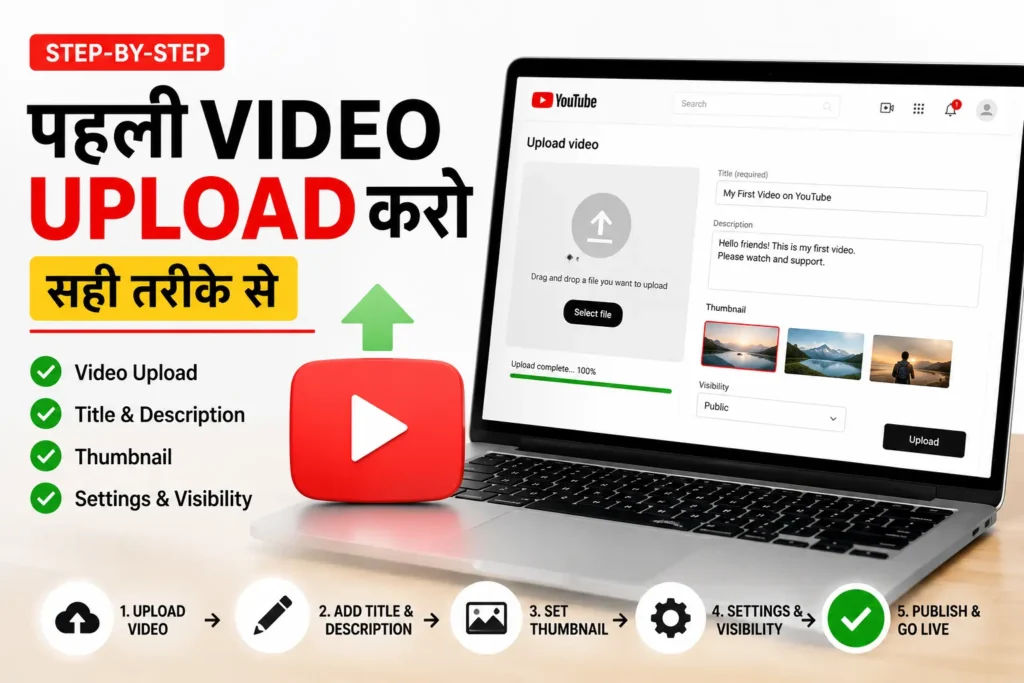
Step 12: Pehli Video Upload करो — Sahi Tarike Se
youtube Channel setup हो गया — अब पहली video का समय। तो भाइयों अपनी पहली वीडियो को अच्छे से बनाना और इसको एक अपने चैनल का ओवरव्यू ट्रेलर के जैसे बनाना कि आप अपने चैनल के अंदर क्या-क्या देने वाले हो और क्या-क्या आप वीडियो आगे भविष्य में बनाने वाले हो वह सभी का एक ओवरव्यू चैनल वीडियो भी बना सकते हो आप अपना फर्स्ट वीडियो
पहली Video कौन सी होनी चाहिए?
Option 1: Channel Trailer (Best) 60-90 second — channel introduce करो।
Option 2: “Start Here” Video “अगर तुम नए हो इस channel पर — यह video देखो।”
Option 3: Best Value Video अपना सबसे valuable content पहले — strong first impression।
BaseGrower के लिए: “BaseGrower Channel पर आपका स्वागत है — यहाँ क्या मिलेगा आपको?” — 2-3 minute का intro video।
Upload Checklist — हर Video के लिए
Before Upload:
- Title: Keyword + Benefit + Year (60-70 chars)
- Custom Thumbnail ready (1280×720px)
- Description template fill किया
- Tags ready (5-15 relevant)
During Upload:
- Title paste करो
- Description paste करो
- Custom thumbnail upload करो
- Tags add करो
- Playlist में add करो
- Language: Hindi select करो
- End screens और cards set करो
- Schedule करो या Publish करो
After Upload:
- Pin comment add करो
- Community post share करो
- Social media पर promote करो
YouTube Channel का Professional Look — Quick Tips
Consistent Color Scheme रखो
BaseGrower का Color Scheme:
- Primary: Dark Orange (#E05000)
- Secondary: Warm Orange (#FF8C42)
- Background: Dark (#1a1a1a) या White
- Text: White (dark background पर)
हर thumbnail, banner, और graphic में same colors → Brand recognition बनती है।
Consistent Font Use करो
Thumbnails में एक ही font family use करो।
BaseGrower के लिए: Baloo 2 (Google Font) — Indian feel, bold, readable।
Thumbnail Style Consistent रखो
हर thumbnail का layout similar हो — viewers instantly पहचानें यह BaseGrower की video है।
Template बनाओ Canva में: एक base thumbnail template → हर video के लिए बस text और image change करो।
Upload Schedule Fix करो और Announce करो
“हर शनिवार सुबह 10 बजे नई video” — और इसे banner पर, description में, और community posts में mention करो।
Subscribers को पता होना चाहिए कब expect करें।
youtube Channel Setup Complete — अब क्या करें?
Setup के बाद यह 5 चीज़ें immediately करो
1. पहले 5 Videos का Plan बनाओ Topic, title, thumbnail idea — सब note करो। Pipeline clear हो तो anxiety कम होती है।
2. Keyword Research करो हर Video के लिए Random topics मत चुनो — BaseGrower की Keyword Research Guide follow करो।
3. Posting Schedule Set करो Week में 1-2 videos — और consistently follow करो। Consistency > Perfection।
4. YouTube Analytics Bookmark करो studio.youtube.com — पहले video के बाद यहां daily आओ data देखने।
5. Community जॉइन करो Hindi YouTube creators के groups join करो — Facebook, Telegram — feedback और support मिलता है।
BaseGrower Channel Complete Setup Summary
| Section | क्या Set किया |
|---|---|
| Channel Name | BaseGrower |
| Handle | @BaseGrower |
| Profile Photo | Orange logo, BG initials |
| Banner | 2560×1440, niche clear |
| Description | SEO optimized, keywords + links |
| Channel Trailer | 60-90 sec pitch video |
| Contact Email | contact@basegrower.com |
| Links | Website + Social media |
| Featured Sections | Playlists + Popular videos |
| Verification | Phone verified — custom thumbnails |
| Upload Defaults | Default tags + description |
Common Mistakes जो New Creators करते हैं
❌ Mistake 1: Channel Name बाद में Change करते रहना एक बार decide करो — बार-बार name change से branding hurt होती है और subscribers confuse होते हैं।
❌ Mistake 2: Channel Art Skip करना Blank banner = unprofessional = subscriber नहीं करेगा visitor।
❌ Mistake 3: Description Empty रखना Description SEO का हिस्सा है — empty = missed opportunity।
❌ Mistake 4: Phone Verify नहीं करना Custom thumbnail नहीं होगी → CTR कम → Views कम → Growth slow।
❌ Mistake 5: Trailer नहीं बनाना First-time visitors को channel समझने में time लगेगा — trailer यह instantly करती है।
❌ Mistake 6: Inconsistent Branding हर thumbnail अलग style — कोई color scheme नहीं — unrecognizable brand।
Conclusion: Setup एक बार, Growth Forever
यार, YouTube channel बनाना 10 minutes का काम है। लेकिन आपको youtube channel बनाकर छोड़ देना नहीं है आपको कंसिस्टेंट काम करते देना है लगभग 3 से 6 महीना तक बिना रुके आपको काम करना है everday 1 से 2 वीडियो बिना इसके आपका इंप्रूव होना या Grow होना लगभग इंपॉसिबल है आज के इस कंपटीशन टाइम में
लेकिन properly setup करना — 2-3 घंटे।
जो creators यह 2-3 घंटे invest करते हैं setup में — उनका channel professional दिखता है, trust बनता है, और growth faster होती है।
जो skip करते हैं — वो हमेशा average channels देखते रहते हैं।
आज ही करो:
- ✅ Google Brand Account बनाओ
- ✅ Channel create करो — नाम decide करो
- ✅ Canva से logo और banner बनाओ
- ✅ Description SEO optimize करो
- ✅ Phone verify करो
- ✅ Trailer video plan करो
- ✅ पहली real video का topic decide करो
Setup हो जाए तो अगला step है YouTube channel SEO — BaseGrower पर वो guide भी available है।
Channel setup में कोई specific problem आए — comment में पूछो। Personally reply दूंगा।
अब जाओ — Your brand channel बनाओ। 2026 में शुरुआत करने का सबसे अच्छा time अभी है। 🚀 और मुझे भी TAG करना मैं आपकी स्टोरी लगाऊंगा